
Withdraw affiliate earnings or use them for fulfillment
Choose between a bank withdrawal and a transfer to your Peregrine balance, then verify what happened.
On this page
Use with AI
In Affiliate program → Payout center, Available for payout is your affiliate balance. A bank withdrawal requests payment to your saved bank account. Move to Balance transfers earnings into the money your store can spend on fulfillment.
- Fulfillment balance · $10 minimum
Choose Move to Balance to transfer available earnings into your Peregrine wallet.
- Bank withdrawal · $50 minimum
Submit the request. The date shown is estimated. Confirm payment in your bank account.
Request a bank withdrawal
- Under Payout center, select Manage beside the payout method. Enter and verify the account-holder and bank details. Choose Save payout method and look for confirmation.
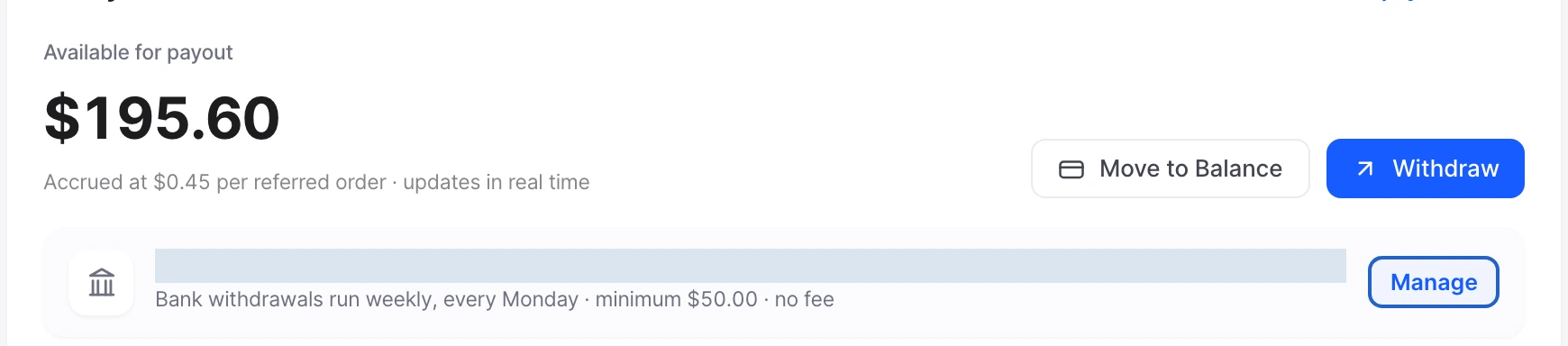
Use Manage to check the payout method; Withdraw starts a bank request. Move to Balance is the separate wallet action.
Platform screenshot · Example dataView full size - Select Withdraw or Withdraw earnings. Enter at least $50 within your available balance. Check the masked destination. The payout date displayed is an estimate.
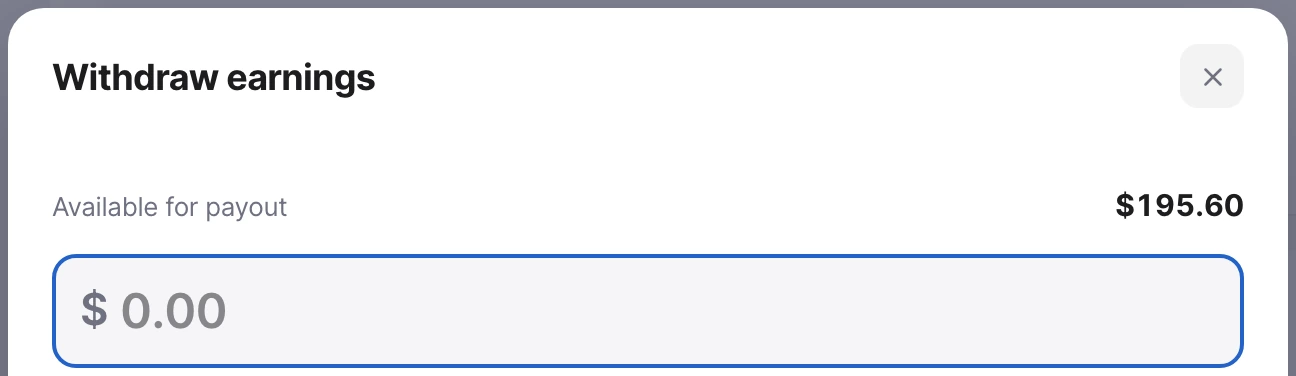
Enter the amount in Withdraw earnings and check the available total and destination before submitting the withdrawal request.
Platform screenshot · Example dataView full size - Choose Schedule withdrawal once. Withdrawal scheduled acknowledges receipt of your request. The displayed balance can remain the same until payment. Check Payout history and your bank before requesting the same amount again.
Use earnings to pay for fulfillment
Choose Move to Balance, enter at least $10, then review the remaining payout balance and new Peregrine balance. Choose Confirm and move once. The confirmation describes a real transfer that cannot be undone from this screen. Verify both balances.
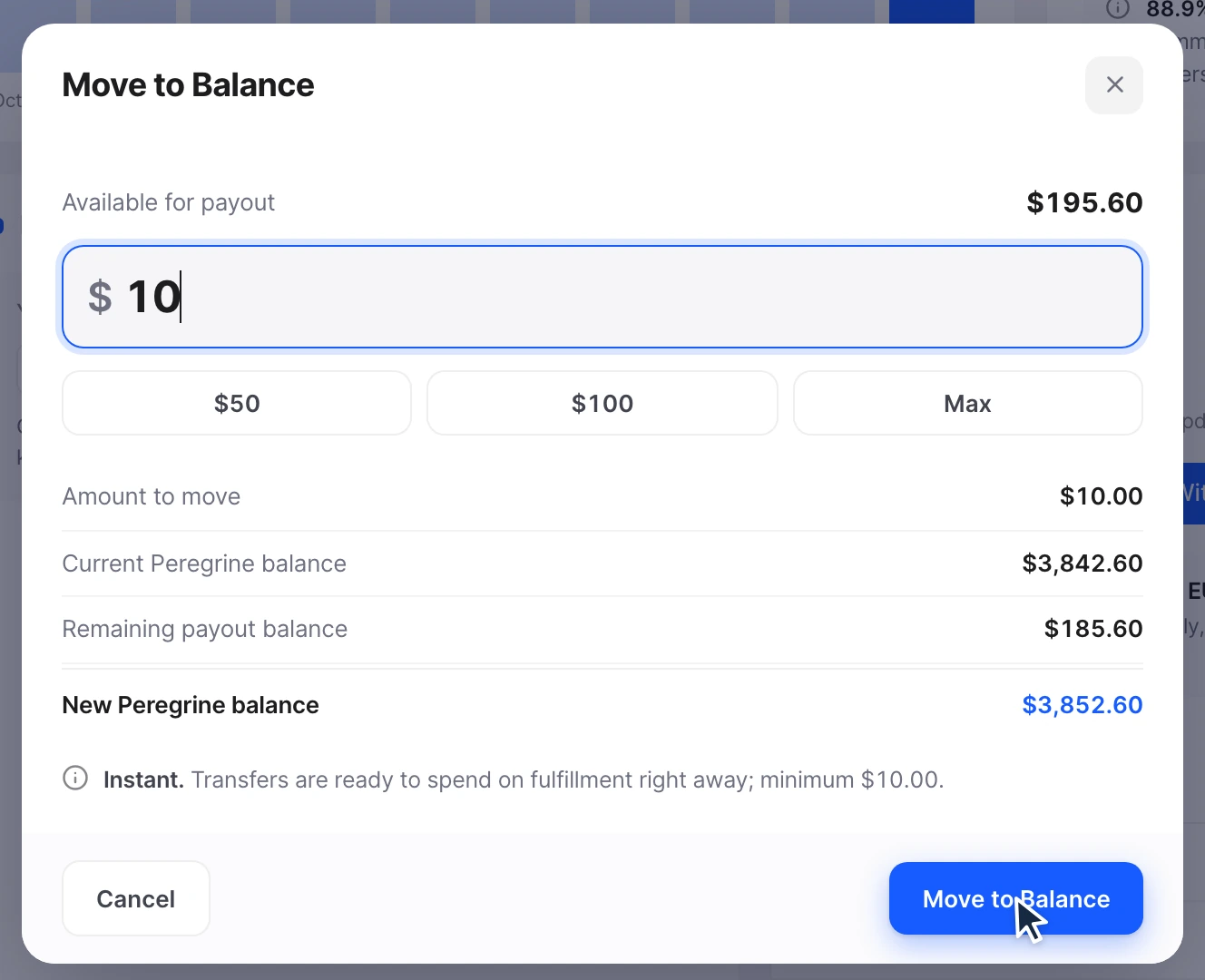
Read the amount to move and the new Peregrine balance before confirming. This example would move $10 into the fulfillment wallet.
Common questions
Are my payout balance and my fulfillment balance the same?
They are separate amounts. Move to Balance changes both. A normal bank withdrawal sends a request for payment outside Peregrine.
Does scheduling mean the money has arrived at my bank?
The message acknowledges the request. Ask support for its processing status if needed and check the credit in your bank account to establish when the money arrived.
The connection dropped after I confirmed. What should I do?
Reopen the payout center and check history and balances. If the result is unclear, send support the time, amount and intended action through the official support channel. Keep full bank details out of chat or screenshots.