Last Mile Tracking Only: hide the China origin
Send customers only the local carrier tracking number, so the China leg stays invisible.
Last Mile Tracking Only sends your store just the final carrier tracking number, so the China leg never reaches your customer. They see USPS, Royal Mail, or whichever local carrier delivered the parcel, and nothing before it.
It is one toggle on the Orders screen and takes about a minute.
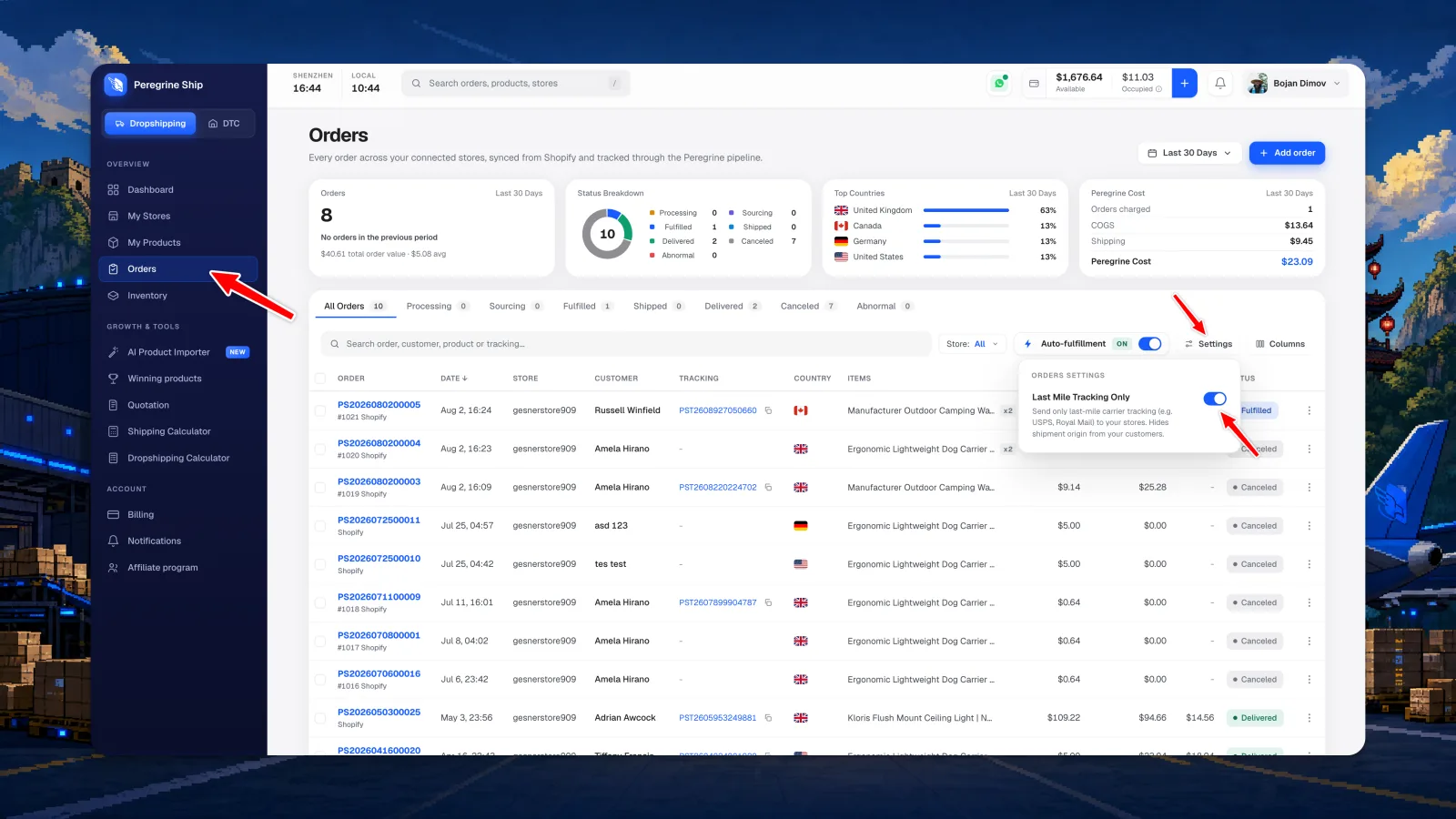
Step 1: Open Orders
- Open your dashboard at platform.peregrineship.com
- Click Orders in the left sidebar
Step 2: Turn on Last Mile Tracking Only
- Click Settings above the orders table, next to Columns
- Switch on Last Mile Tracking Only in the Orders Settings panel
What your customers see
With the toggle on, the tracking number that syncs to your store is the final delivery carrier only, for example USPS, Royal Mail, La Poste, or DHL. The shipment origin is hidden, so your customer never sees the China leg.
Common questions
Will my customers still get a tracking number?
Yes. They receive the final carrier tracking number, the one they follow with their local carrier.
Does it affect orders already in transit?
No. The setting applies to orders going forward, not ones already shipped.
Can I turn it back off?
Yes. Switch the toggle off any time and full-journey tracking returns for new orders.
I cannot find the toggle. Where is it?
It moved. It used to sit in your profile settings, and it now lives on the Orders screen: click Settings above the orders table, next to Columns, and it is the first item in the Orders Settings panel.
Still need help?
Real humans on every reply. Average response under 2 hours during business hours.