My Stores: connecting a store and keeping it in sync
The three sync buttons, and what each one is for.
What this screen is
Every Shopify store you have connected, on one card each.
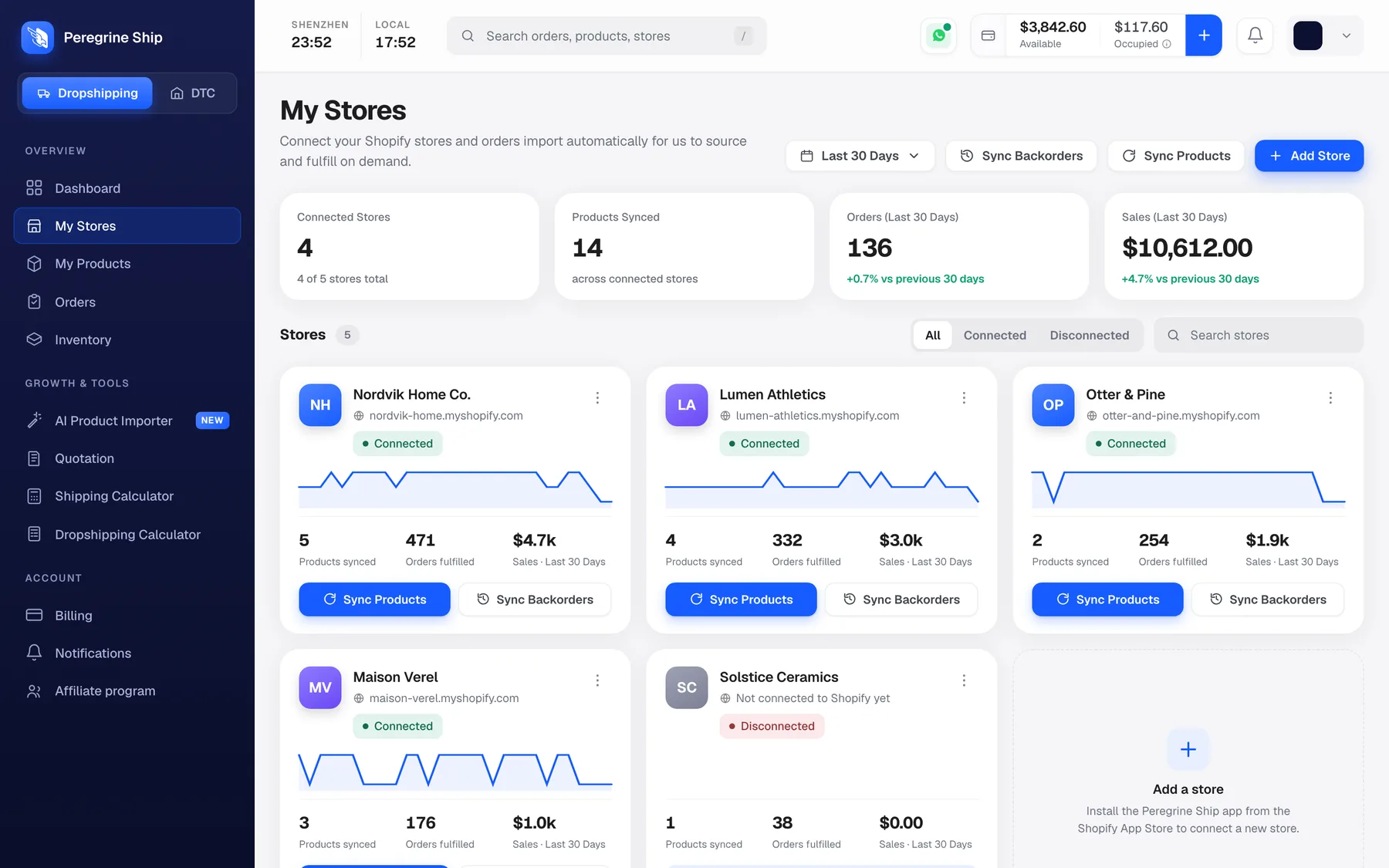
The four cards along the top are your totals: connected stores, products synced across them, and orders and sales in your selected date range.
Underneath, one card per store, showing:
- The store name and its .myshopify.com address
- A Connected or Disconnected badge
- A sparkline of recent order volume
- Products synced, orders fulfilled, and sales in the period
- Sync Products and Sync Backorders buttons
Filter with All, Connected and Disconnected above the cards. On a busy account, Disconnected is the filter that matters, because a disconnected store is not sending you orders.
Add a store
Use Add Store, top right, and install the Peregrine Ship app from the Shopify App Store.
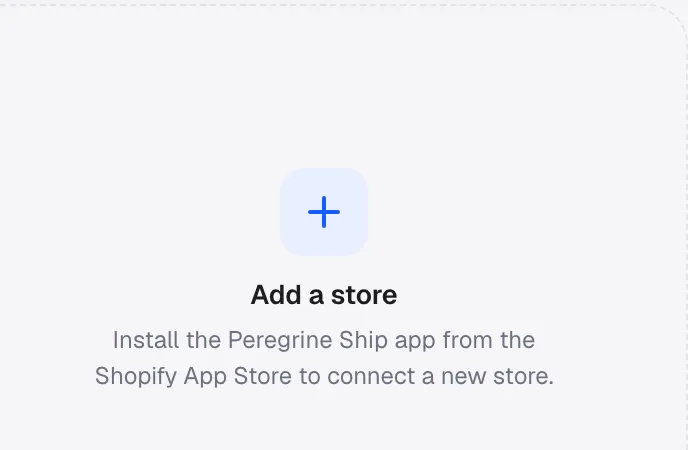
You can connect as many stores as you run. They all share one account, one balance and one stock pool, which is the point: a product held in our warehouse can serve orders from any of your stores without you splitting stock between them.
What syncs, and which way
This is the part worth understanding once, because it prevents most confusion later.
| What | Direction | When |
|---|---|---|
| Orders | Shopify to Peregrine | Automatically, as they come in |
| Products | Shopify to Peregrine | On connect, then when you press Sync Products |
| Tracking numbers | Peregrine to Shopify | When the parcel is handed over |
| Stock levels | Peregrine to Shopify | Live, for stock held in our warehouse |
So orders and tracking look after themselves. Orders arrive on their own, and when we ship, the tracking number is pushed back to Shopify and your customer gets their notification from your own store, in your own branding.
Products are the one thing you sometimes trigger by hand.
Sync Products
Pulls your Shopify catalogue into Peregrine, matching on SKU.
Press it when:
- You have added new products in Shopify since connecting
- You changed a title, variant or SKU in Shopify
- A product is missing from My Products and you expected it there
You do not need to press it daily. It is for when you have changed something in Shopify and want that change reflected here now.
There are two buttons that do this. The one on a store card syncs that store. The one at the top of the page syncs all connected stores.
If a product still does not appear after syncing: check the SKU. Matching is on SKU, so a product with a blank or duplicated SKU in Shopify has nothing to match on. Fix it in Shopify and sync again.
Sync Backorders
Pulls in orders that came in while the connection was down, or that did not import the first time.
Press it when:
- A store shows Disconnected and you have just reconnected it
- A customer has an order in Shopify that you cannot find in Peregrine
- You are checking after any Shopify outage
It looks back and picks up what is missing, rather than re-importing everything. Safe to press if you are unsure.
Connected and Disconnected
Connected means orders are flowing.
Disconnected means they are not. A store card reading "Not connected to Shopify yet" is either a store you added but never finished connecting, or one where the app was uninstalled or the permission was revoked in Shopify.
A disconnected store is silent, not noisy. No error reaches you. Orders simply do not arrive, and you find out when a customer asks where their parcel is. Two habits worth keeping:
- Glance at this page when you make any change in Shopify apps or permissions.
- After reconnecting, always press Sync Backorders to collect anything missed while it was down.
Frequently asked
Do I need to press Sync every day? No. Orders import on their own. Sync Products is only for catalogue changes you made in Shopify.
I run four stores. One account or four? One. All four connect to the same account, the same balance and the same stock.
Can two stores sell the same stock? Yes. Stock is held once and serves any store. You are not splitting it.
My product is in Shopify but not in Peregrine. Sync Products first. If it is still missing, the SKU is almost always the cause. Blank or duplicate SKUs have nothing to match against.
Does my customer see Peregrine anywhere? No. Tracking is pushed back into Shopify and the notification goes out from your store, in your branding.
I am not on Shopify. See What if my store is not on Shopify.
Still need help?
Real humans on every reply. Average response under 2 hours during business hours.