Sync your Shopify orders into Peregrine
Pull in existing and back orders from Shopify so they get fulfilled.
Once your store is connected, new orders import on their own. Sync Backorders is for the ones that came before that: orders placed on Shopify before you connected, or while imports were paused. It runs in three steps from the My Stores page.
Step 1: Open Sync Backorders
Go to My Stores. Each connected store card has its own Sync Backorders button, and there is one in the top right that lets you pick the store first.
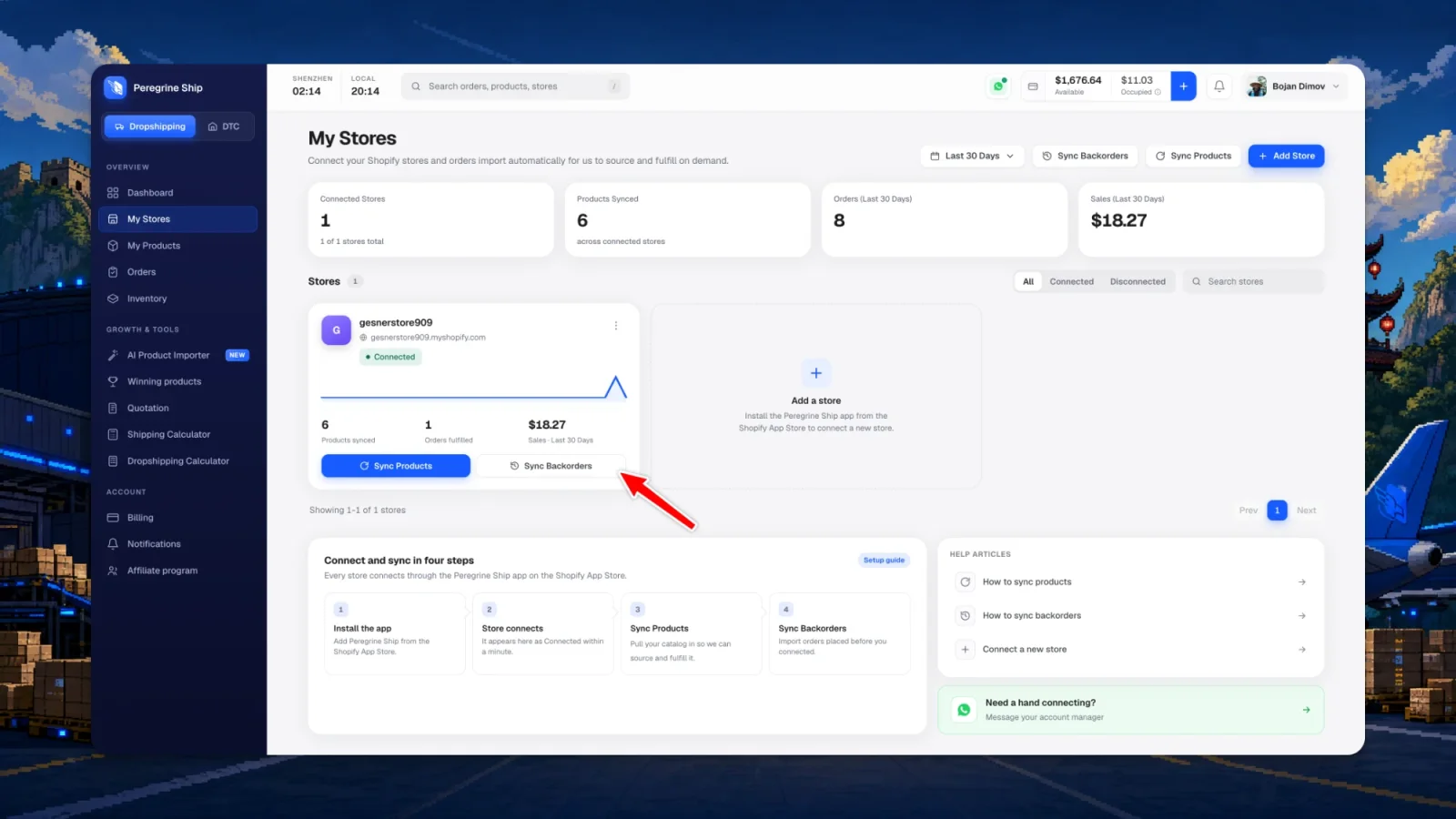
Step 2: Choose which orders to import
Peregrine lists the orders it can still import, with the date, customer, item count and value. They all come preselected, so usually you go straight to Review import.
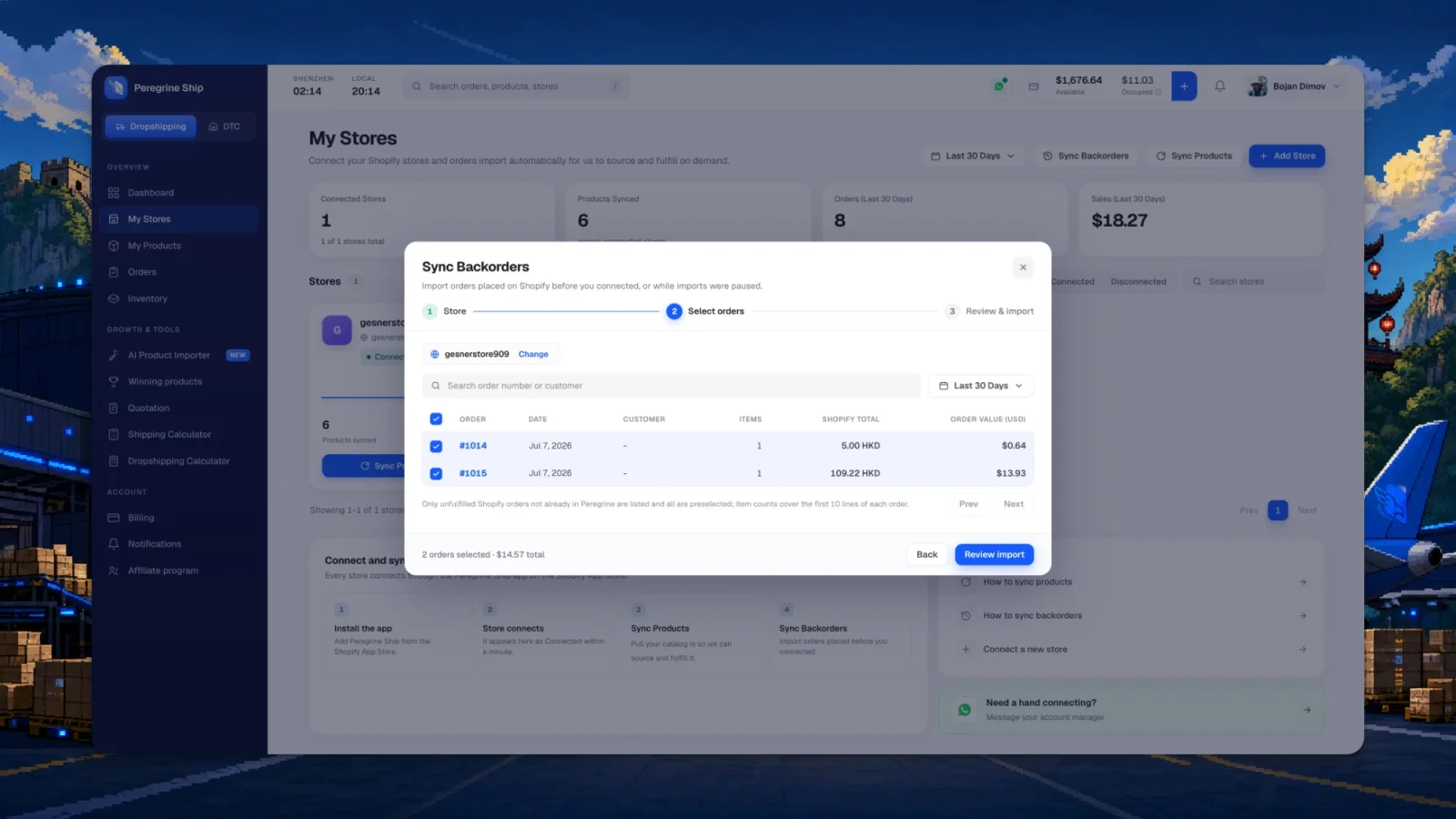
- Only unfulfilled Shopify orders that are not already in Peregrine are listed
- Every order is preselected, untick anything you do not want imported
- Item counts cover the first 10 lines of an order
- Narrow the list by date range, or search an order number or customer
Step 3: Review and import
The last step confirms the count and the total before anything moves. Press import, and the orders land in Orders and route to fulfillment like any new order.
Common questions
Will this duplicate orders I already have?
No. Orders already in Peregrine are filtered out of the list entirely, so there is nothing to double-import.
Which orders can be imported?
Unfulfilled Shopify orders. Anything you already fulfilled yourself is not listed, since there is nothing left for us to ship.
Why is an order missing from the list?
It is either already fulfilled, already in Peregrine, or outside the selected date range. Widen the range at the top right of the list before assuming it cannot be imported.
Do I have to run this every time?
No. Once the store is connected, new orders import on their own. Use this for the first import after connecting, and any time imports were paused.
What does the order value in dollars mean next to the Shopify total?
Your Shopify total is in your store currency. The order value is the same order converted, so you can compare orders from different stores and currencies on one screen.
Next: keep your catalog current
Make sure your products are in Peregrine too. Sync your Shopify products.
Still need help?
Real humans on every reply. Average response under 2 hours during business hours.