Sync your Shopify products and variants
Import your Shopify products, with every variant, into Peregrine.
Sync Products pulls your Shopify catalog into Peregrine so we can source and fulfill it. You pick which products come across, and the sync runs in three steps from the My Stores page.
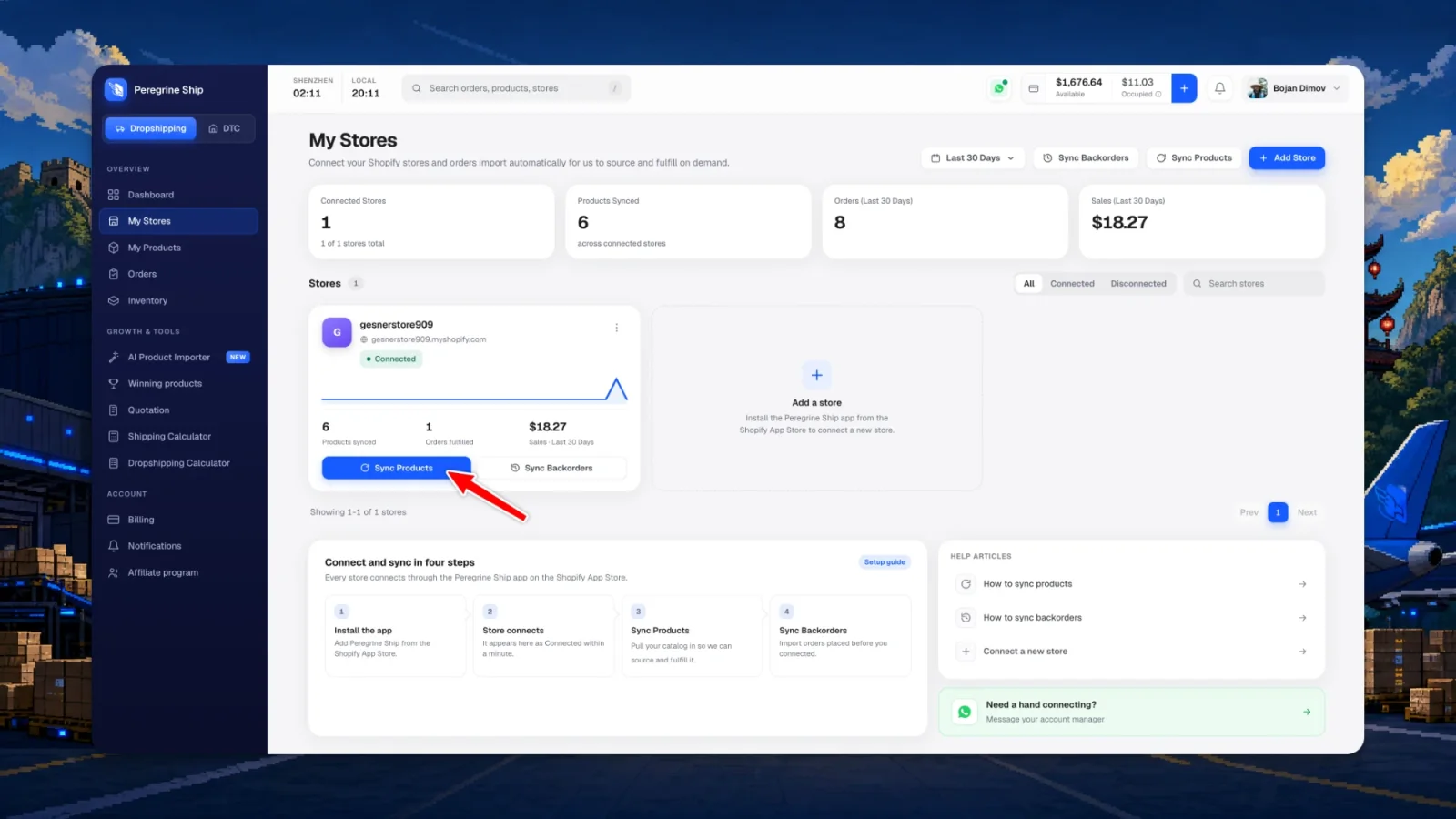
Step 1: Open Sync Products
Go to My Stores. Each connected store card carries its own Sync Products button, and there is one in the top right that lets you pick the store first.
Step 2: Choose what comes across
Peregrine fetches your catalog and lists it with prices. Everything physical is preselected, so most of the time you can go straight to Review sync.
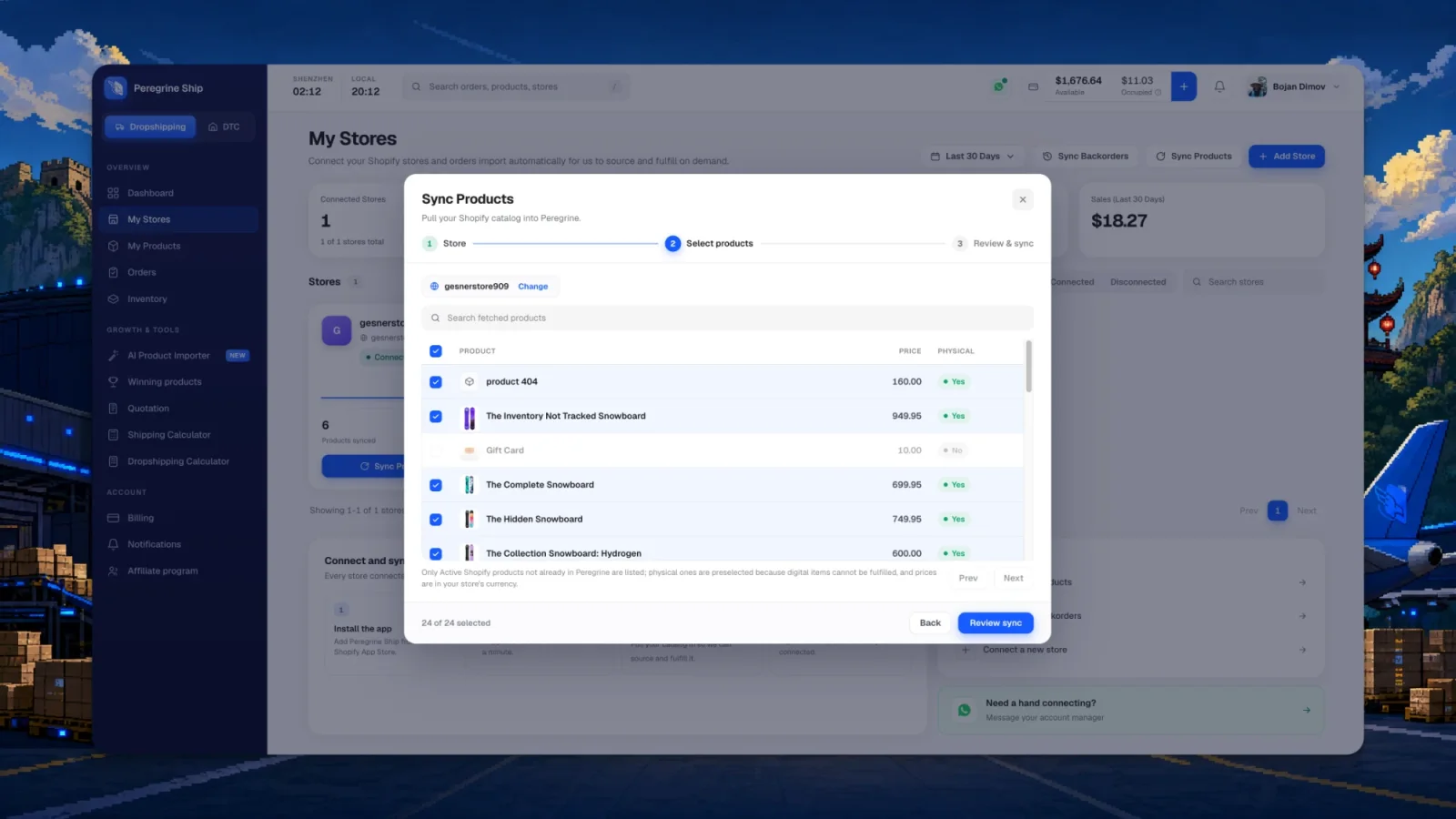
- Only Active Shopify products that are not already in Peregrine appear here
- Physical products are preselected; digital ones cannot be fulfilled so they stay unticked
- Prices show in your store currency
- Use the search box to find one product in a long catalog
Step 3: Review and sync
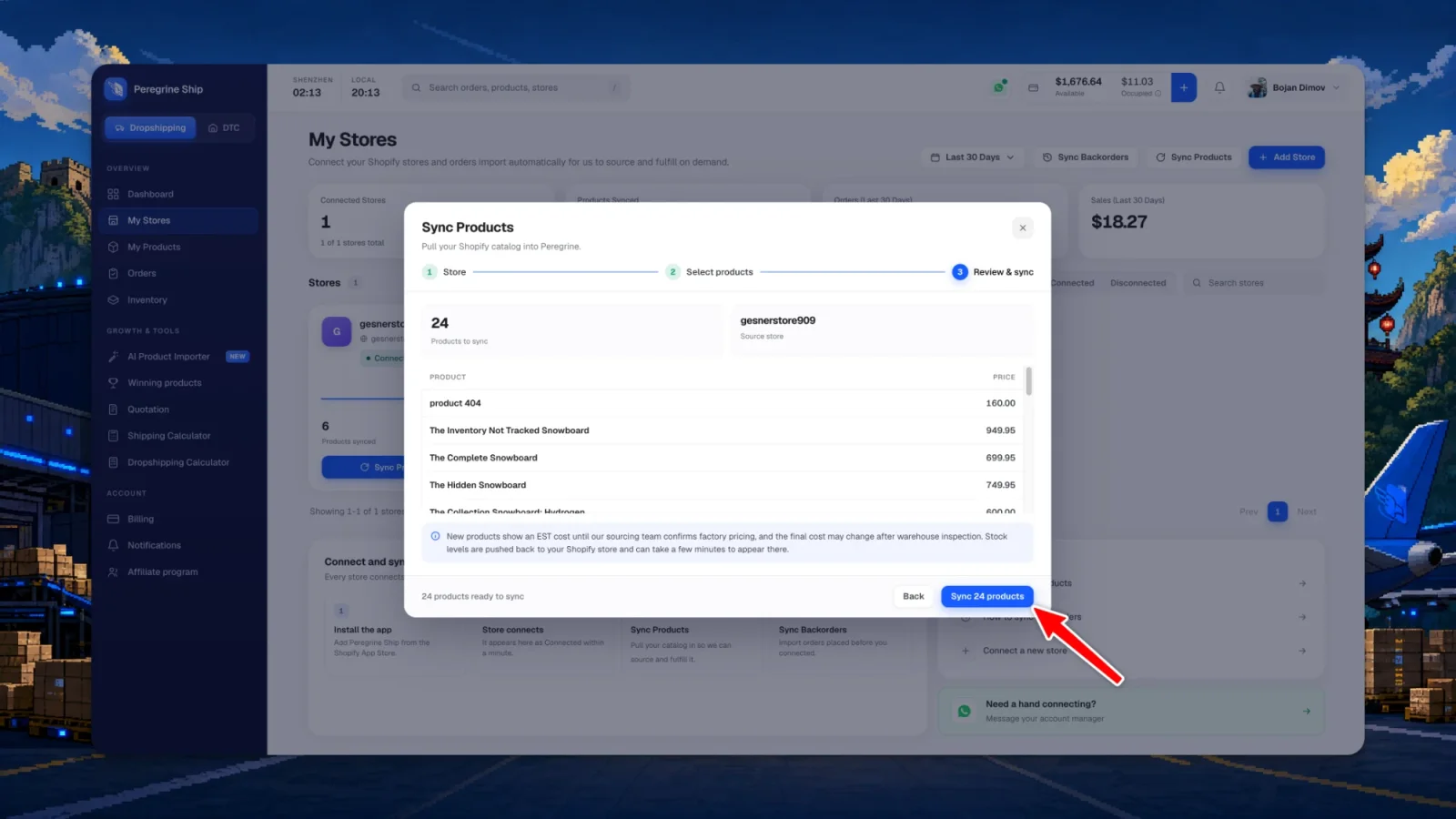
The last step shows exactly what is about to import and from which store. Press Sync, and the products land in My Products.
Common questions
Why is a product missing from the list?
The list only shows Active Shopify products that are not already in Peregrine. If a product is a draft, archived, or synced previously, it will not appear. Check My Products to confirm it is already there.
Why can I not select my gift card or digital product?
Digital items have nothing to pick, pack or ship, so they cannot be fulfilled and are left unselected.
Do variants come across?
Yes. Every variant imports as its own line, each size and color, so an order routes to the exact item and stock and pricing stay aligned per variant.
What about products I add later?
Run Sync Products again. Only the new items appear in the list, since anything already in Peregrine is filtered out.
What does EST next to a cost mean?
It marks an estimate. The cost is based on current factory values and our sourcing team confirms it, so the final number can change after warehouse inspection. You are never charged an EST figure without it being confirmed first.
Next: pull in your orders
With your catalog synced, sync your backorders so orders placed before you connected still get fulfilled.
Still need help?
Real humans on every reply. Average response under 2 hours during business hours.