
Tracking says Delivered but the customer has no parcel
Match the right parcel and final carrier, check delivery evidence and open a trace without assuming what happened.
On this page
Use with AI
A Delivered scan is the carrier's report for a particular parcel. If the recipient cannot find it, first make sure the scan belongs to their address and the missing items, especially on a split order.
- Different parcel in a split order
Match the missing item's tracking to its own fulfillment group.
- Right parcel, unfamiliar photo
Compare the visible delivery location with the recipient's actual entrance or mailroom.
- Still missing after checking
Send the last-mile number, delivery time and recipient's checks to open a carrier trace.
Reconstruct delivery
- In Orders, open the correct store and order. Record the parcel's last-mile tracking number, delivery time and any location, photo or signature the carrier makes available.
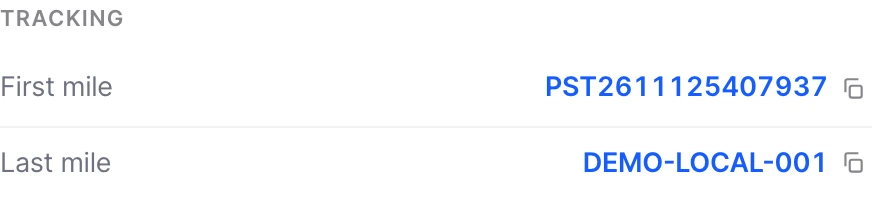
Match the local tracking number to the correct parcel first.
Platform screenshot · Example dataView full size - Confirm privately with the recipient that the delivery address on the order is correct. Ask about a safe place, reception desk, parcel locker, mailroom or another household member if relevant.

This example records delivery at a front desk. Give the recipient the actual time and location on their parcel before opening an investigation.
Platform screenshot · Example dataView full size - Check whether a different parcel from the same order is still in transit. Identify exactly which items are missing.
- If the parcel is still missing, send the order reference, final tracking, scan date, destination postal code and what the recipient checked. State any discrepancy in the photo or delivery location and ask Peregrine to open a carrier investigation.
Common questions
There is no signature or photo. Can I still report it?
Yes. Send the recorded event and explain that the carrier view has no additional proof. Some services expose different delivery evidence.
Should I send a replacement immediately?
An investigation and a replacement are separate decisions. Check with your team before creating a second fulfillment instruction and keep the original parcel reference attached to the case.
The buyer received the box but something inside is missing. Is this the same claim?
Use the incomplete-set or wrong-item route. The team needs the item list, packaging, label and a photo of what arrived. Contact support