
Quote a parcel containing a battery
Read the battery declaration, service qualification and fallback warning before using a price for a battery-powered item.
On this page
Use with AI
A rechargeable item can produce a real shipping price on a line that cannot carry that configuration. Check the battery facts on the returned line before using its amount in a selling-price decision.
- General goods only
Discard the price for the declared battery configuration.
- Battery handling unknown
Ask support to verify the product, packing and destination.
- Battery-capable line
Check its exact acceptance terms before making a delivery promise.
Check the declaration and the returned line
- Collect the pack's destination, postal code, packed weight and dimensions. Decide whether the battery is installed in the product, packed with it or loose. Retain the manufacturer's battery information for an eligibility check.
- In Shipping calculator, select the destination and weight, switch Contains battery on, then choose Calculate rates.
- Open Details for the line under consideration. Read Batteries and any qualification. A general-goods-only line can remain visible as a price comparison. Its rate does not apply to the declared battery parcel.
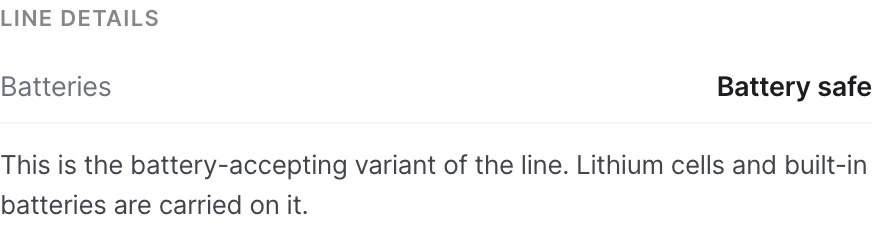
After declaring the battery, read the chosen line’s own Batteries field. Battery safe identifies this example line. Confirm the actual battery and route restrictions before shipping.
Platform screenshot · Example dataView full size - If no returned line publishes battery carriage or the drawer says battery handling is unknown, request a review with the exact product, configuration, destination and packing details. A label such as Battery safe still requires that the specific product and destination meet the service's conditions.
For example, a rechargeable device with its installed battery and a separate loose replacement cell are two different shipping briefs. Get a separate confirmation before adding the loose cell to an already quoted pack.

Under Contents, switch on Contains battery for the parcel you are pricing before you calculate the available lines.
Common questions
Can I turn Contains battery off to get a cheaper line?
Use the actual contents. The lower general-goods price is unsuitable for comparing a parcel that contains a battery.
Why did a line that cannot take my parcel still show a price?
The calculator can show alternative returned prices with a warning about a mismatch. Read the qualification in Details.
Will a correctly declared estimate tell me every document the destination needs?
Request the product-specific document list and approval before presenting a service as available. The calculator supplies an estimate for the declared inputs.