
Match multiple tracking numbers to the right parcel
Work out whether two numbers describe one parcel, two boxes or a corrected label.
On this page
Use with AI
Two tracking numbers can belong to a single physical box as it changes carriers. Two separate boxes can also belong to one Shopify order. Identify the contents before telling a shopper which parcel is missing.
Paste the number from the shipping confirmation. For several parcels, enter one number per line. The sample stops before sending a lookup.
Read transcript
- Open the public tracking page and find Tracking numbers.
- Paste the reference from the shipping confirmation. Use one line per parcel.
- Track parcel runs the lookup. These two references are examples only.
- Two legs
First mile and Last mile can follow one box as responsibility changes carriers.
- Two boxes
Ask which SKUs and quantities are physically inside each parcel.
- Corrected label
Establish which number is active and check the existing Shopify fulfillment.
Match the fields to the shipment
- First mile and Last mile in one order drawer. Compare the two tracking histories, destination and handoff before counting a second parcel.
- Two physical parcels. Ask for the packing breakdown. Match a number to the SKU and quantity packed in each box.
- A number was replaced. Ask which reference is active and whether the earlier number was ever used. Compare the active number with the existing Shopify fulfillment.
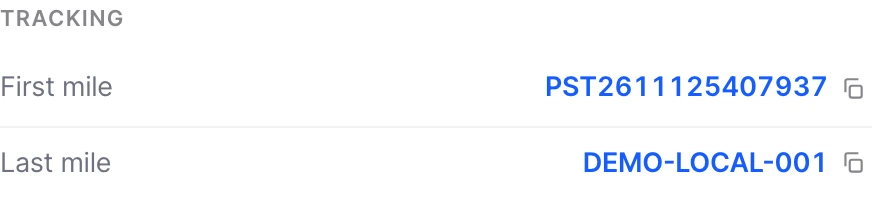
This one order drawer contains two references, one per leg. Confirm the physical parcels and their contents before counting two boxes.
Work a two-box example
A customer ordered a jacket and two shirts. One box arrives with both shirts. Check whether the packing record assigns the jacket to a second parcel and whether that parcel has an acceptance scan. If the same parcel should have contained all three items, open an incomplete-delivery case and request the relevant photos.
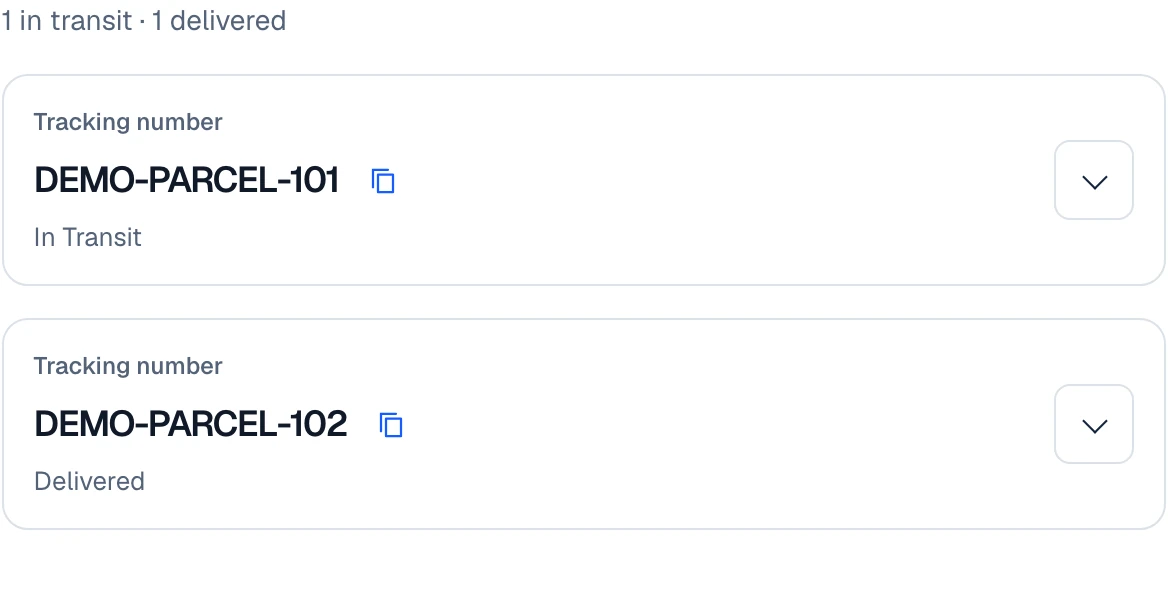
These two example references return different delivery states. Check the packing record to establish which physical box contains the missing item.
Common questions
Both numbers show Delivered. Does that establish that two boxes arrived?
First establish the physical parcel count. Two carrier histories can reflect the same delivery.
One line is still unfulfilled in Shopify. What should I check?
Compare the unfulfilled variant and quantity with the packing breakdown. Ask which parcel, if any, actually contains that line.
Can I send both numbers to the buyer?
Share the customer-facing link for each relevant parcel and identify what is inside it. Keep any internal investigation in the merchant support conversation.