
Copy one parcel’s tracking details for your support team or AI assistant
Give an agent the timestamped events, customer-facing link and exact question for one parcel.
On this page
Use with AI
Give the buyer their parcel link. Give a support agent the dated evidence behind your reply. A link refreshes as events arrive, while the details you copy capture what was visible at one point in time.
- The buyer needs follow-up
Copy tracking link opens that parcel and shows later updates.
- An agent needs evidence
Copy details preserves the events visible when you checked.
- A colleague needs a decision
Add the check time and one question for this case.
Save one parcel from a lookup
- Open the relevant shipment on Peregrine Tracking. If you looked up several numbers together, expand the result for this customer.
- Use Copy tracking link on the shipment. Open that link to check that it contains only the intended parcel.

Copy tracking link lets a colleague reopen the record. Copy details saves the parcel information shown at the time of copying.
Confirm the snapshot you saved
If events or milestones are present, choose Copy details. Paste the result into the authorized case record and add the time you checked. It can include the tracking number, status, latest update, destination, local carrier details, milestones and tracking events. The fields depend on the tracking view and information available.
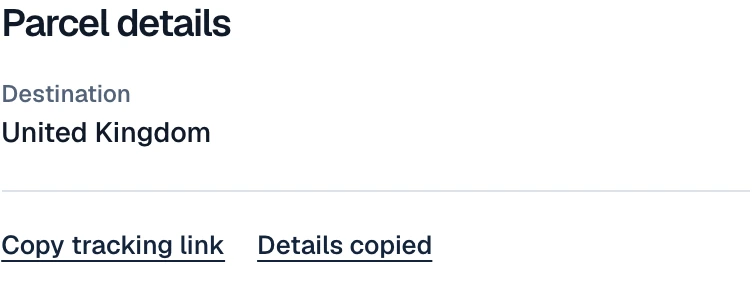
Details copied acknowledges the current parcel snapshot. Paste it into the permitted case and add the time you checked. Copy tracking link remains the separate link action.
Give an agent a question it can answer
For a handoff question, include the event wording and ask, “Which event confirms the local carrier physically received this parcel? If no event confirms it, say what we can tell the buyer now.” A printed label or a carrier number can identify a parcel before that carrier scans it.
For a missed-delivery question, include the attempted-delivery event and any later collection or redelivery instructions. Ask the agent to distinguish actions already requested by the carrier from actions the buyer still needs to take. Include only the case details needed by the team or approved assistant.
Refresh before sending a new answer
Compare the current page with the saved snapshot. If a later event or replacement local reference appeared, keep the earlier timestamp for the case history and send the updated result. A tracking snapshot does not establish a wallet charge, a reshipment approval or an exact future delivery date.
Common questions
Why does my teammate see more fields in another tracking view?
A local-only view can omit the shipment's origin and first-mile block. Record which customer-facing link you checked. An empty local number means the view does not currently provide one.
Should I give the buyer a link containing my entire batch search?
Use Copy tracking link on their individual result. A lookup containing several parcels can expose another customer's shipment activity.
Will the copied text update itself?
The pasted text stays as it was when you copied it. Reopen the parcel link and make a new dated snapshot when you need current evidence.