
Tell a created label from a parcel the carrier has collected
Use the first physical carrier event to give your buyer an accurate dispatch update.
On this page
Use with AI
A number can work before the carrier takes possession. Look at the wording and timestamp of the most recent event before telling the shopper that a parcel has left.
- Information received
The carrier has shipment data. A physical handoff still needs confirmation.
- Accepted or collected
The carrier reports receipt. Record its location and time.
- Delivery exception
Open the event and check for a specific address, pickup or recipient action.
Match the event to a reply
| If the history shows | What you can tell the shopper |
|---|---|
| Label created, pre-advice or information received | “Your tracking number is ready. I’m checking for the first carrier scan.” |
| Accepted, collected or received at a carrier facility | “The carrier has recorded the parcel. Here is the latest scan and its date.” |
| Only a local number with no events | “I’m checking the earlier leg and when local tracking should begin.” |
Carrier wording varies. Check whether the event describes electronic data or physical handling.
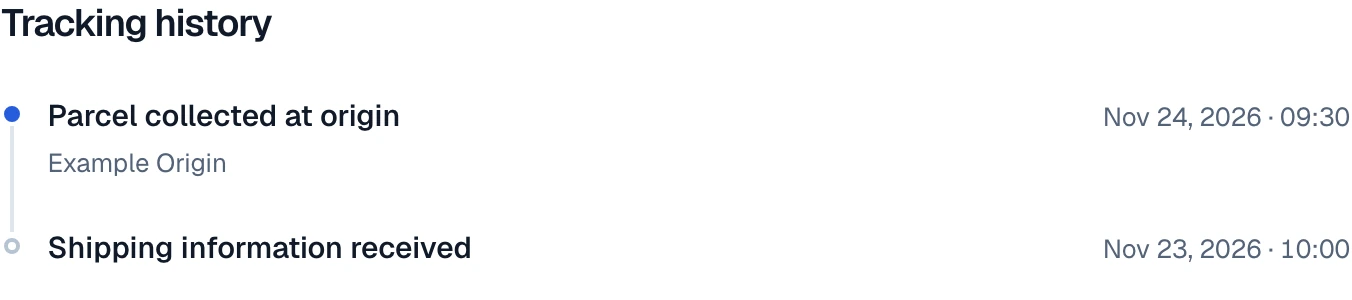
Shipping information received on November 23 is followed by Parcel collected at origin on November 24. In this example, the second event supports saying the carrier has the parcel.
Check a quiet shipment
Open Orders and inspect Tracking in the drawer. Compare the first-mile and last-mile links. If the promised dispatch window is passing, ask support for the warehouse handoff evidence, the number assigned to the parcel and the next follow-up date. Keep the order reference and latest timestamp with the request.
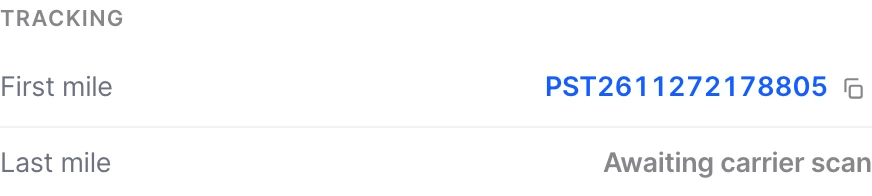
Open the tracking reference to read its events. A number beside First mile identifies the shipment but does not establish pickup on its own.
Common questions
The platform says Fulfilled. Is that proof the carrier collected it?
Use an acceptance scan or separately confirmed handoff to report physical collection.
Should I issue another label because the first number is quiet?
First ask which label is attached to the physical parcel. A second number can make the existing shipment harder to trace.
What should my next message contain?
Give the shopper the last event you verified and the time you will check again. If a delivery estimate is available, identify the service or tracking page supplying it.