
Get a tracking number and link for an order
Open the order drawer, identify the first-mile and last-mile fields and choose the link that answers your shopper’s question.
On this page
Use with AI
Find the exact order in Orders. Use its store and order reference first. Two shops can have the same numbered order.
Filter Orders to Shipped and copy the tracking number from the matching row.
Read transcript
- Start with Shipped to narrow the order list.
- Find the matching order. Its PST number appears in the Tracking column.
- Use the copy button beside the number to copy that reference.
Read the two fields
Open the order row and find Tracking. First mile is the Peregrine reference for the shipment when assigned. Last mile is the carrier reference available for the destination delivery leg. Select the link to open tracking or use the small copy button beside the number. The table's Tracking column can show just the Peregrine reference even when the drawer has both.
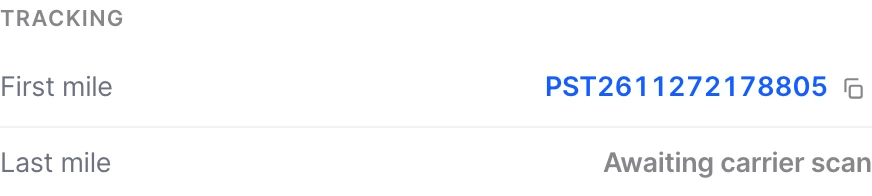
First mile has a number in this example. Last mile says Awaiting carrier scan, so only the first reference can be opened here.
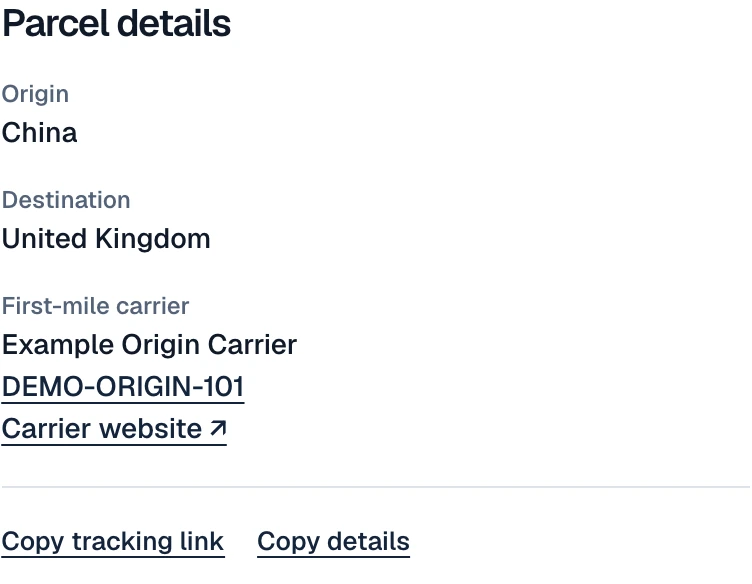
On a full public link, Parcel details can include Origin and the First-mile carrier block. This example names a fictional first-mile reference alongside the destination.
Choose what to send
For a merchant investigation, keep both numbers and the latest scan in the private support thread. For a shopper, open the link that matches the tracking experience configured for the store. Verify it opens the correct parcel. Orders with more than one physical parcel can need more than one link.
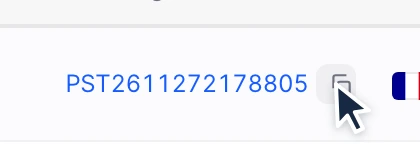
The copy control sits beside the tracking link on a shipped row. Send the reference that belongs to the parcel you checked.

On the individual public parcel, Copy tracking link gives the link for that result. Compare the intended first-mile or local view before sending it to the customer.
Interpret a missing field
Not yet created and Awaiting carrier scan identify missing information in the drawer. A blank local number or a generated reference cannot establish collection. Read the actual carrier events before giving a movement update.
Common questions
How do I get a tracking number for one order?
Open Orders, find the sale under the correct store and open its Tracking section. Use the copy control for the assigned number or open its link. Check the parcel and latest dated event before sharing it. If a number is still missing, read the message beside the corresponding leg.
Is my Shopify order number a tracking number?
The store number identifies the sale. Use the values under Tracking to look up a shipment.
Why does the local link show fewer events?
The destination carrier may begin its published history when it receives the parcel or data. Compare both references privately when investigating an earlier leg.
Where can someone track a Peregrine number without signing in?
Open the link beside the first-mile reference or use Peregrine's public tracking page. Share a link for the specific parcel after checking the displayed result.