
Read the latest scan, progress bar and parcel history
Use the tracker’s event description, date and location to explain what has actually happened without turning a milestone into a promise.
On this page
Use with AI
Use Latest update to answer what was last reported. Use Tracking history to see the event sequence. Delivery progress gives a shorter view of the journey and can leave stages without a dated scan.
- Latest update
What event was most recently reported?
- Tracking history
What wording, timestamp and location support it?
- Delivery progress
Which broader stages have been reached in this view?
Read one actual event
- Open the original parcel link and expand its number. Check the reference and destination.
- Read the event wording, date and location together. In Tracking history, the most recent event is first. Delivery partner update identifies a partner report when shown.
- Read the timeline in the view supplied to the shopper. A last-mile view can show fewer events than the merchant's full journey.
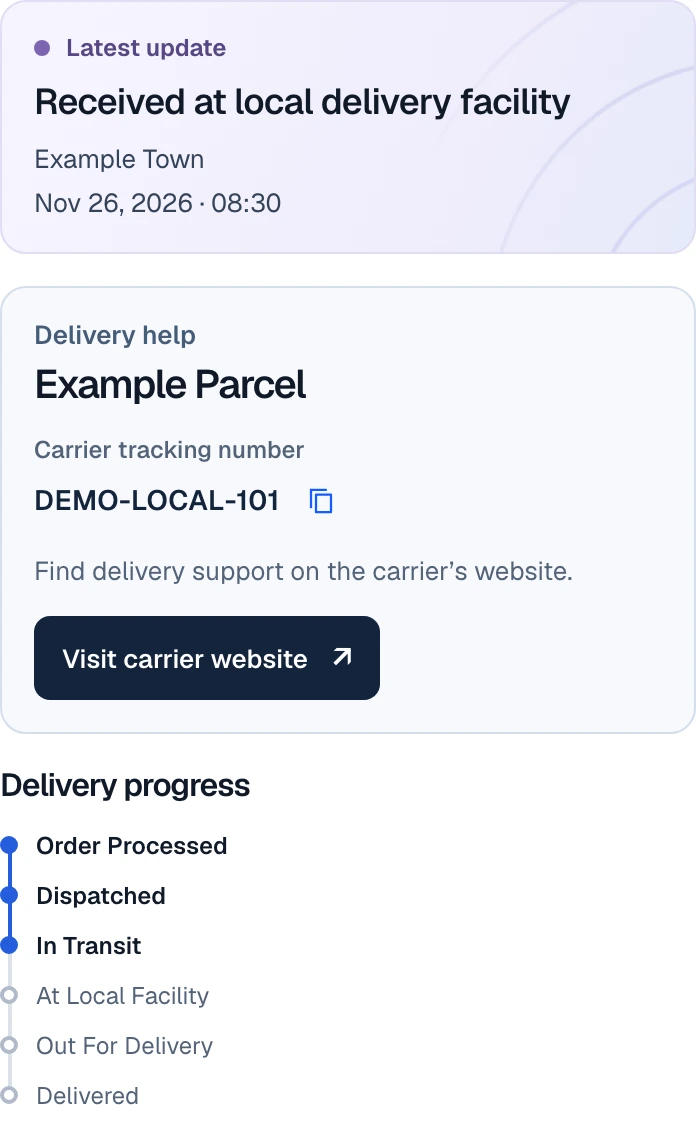
On the phone, Latest update reports a local-facility event and Delivery progress summarizes the journey. Read the event text and date before describing a new milestone.
Platform screenshot · Example dataView full size - If a milestone looks ahead of the last detailed scan, quote the exact dated event and ask for clarification before reporting a handover, customs release or final delivery.
For example, arrived at a sorting facility describes a facility scan. Unless the event identifies arrival in the destination country, leave that part of the message open. A dot without a date is not a missed delivery deadline.
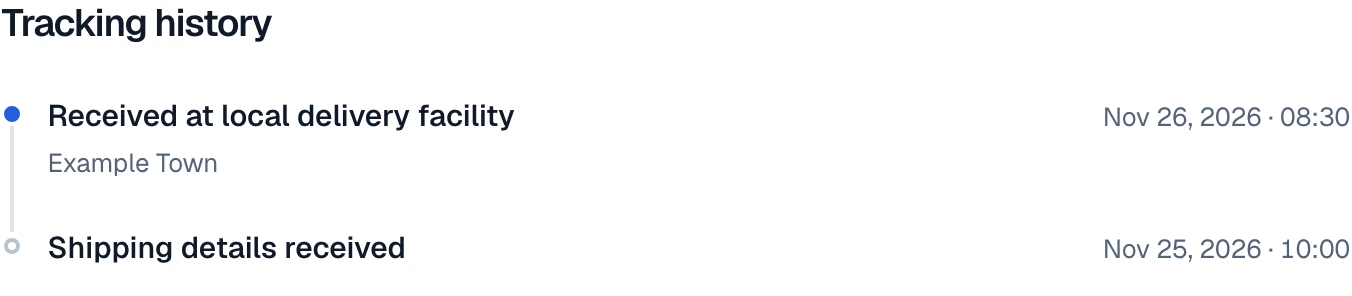
Read down the actual dated events. Receipt at the local facility follows the earlier electronic shipping information in this example.
Common questions
Why do I see “Carrier update received” without a clearer delivery stage?
A carrier supplied an update that may not map to a specific milestone. Read the event description instead of assigning a more advanced status.
Does a gap between milestones prove that a leg was skipped?
No. Some legs have no separate event visible in the selected view. Use the dates and descriptions actually present.
What does “Tracking updates have ended” establish?
The tracking feed has ended for this reference. Verify the last physical event and ask the store to trace an unresolved delivery. That wording alone cannot prove where the parcel ended up.