
Recover access to your merchant account
Choose the right recovery path for a forgotten password, unconfirmed email or recent email change.
On this page
Use with AI
A password reset and an email confirmation solve different problems. Start with the message on the sign-in screen and the address you most recently registered or changed to.
- Forgot your password?
Choose Forgot password? and send a reset link to the account email.
- Just changed your email?
Sign in with the new address to trigger verification if its message is missing.
- Lost access to the inbox?
Send support the shop domain, previous email and a reachable address privately.
I forgot my password
- On merchant sign-in, choose Forgot password?.
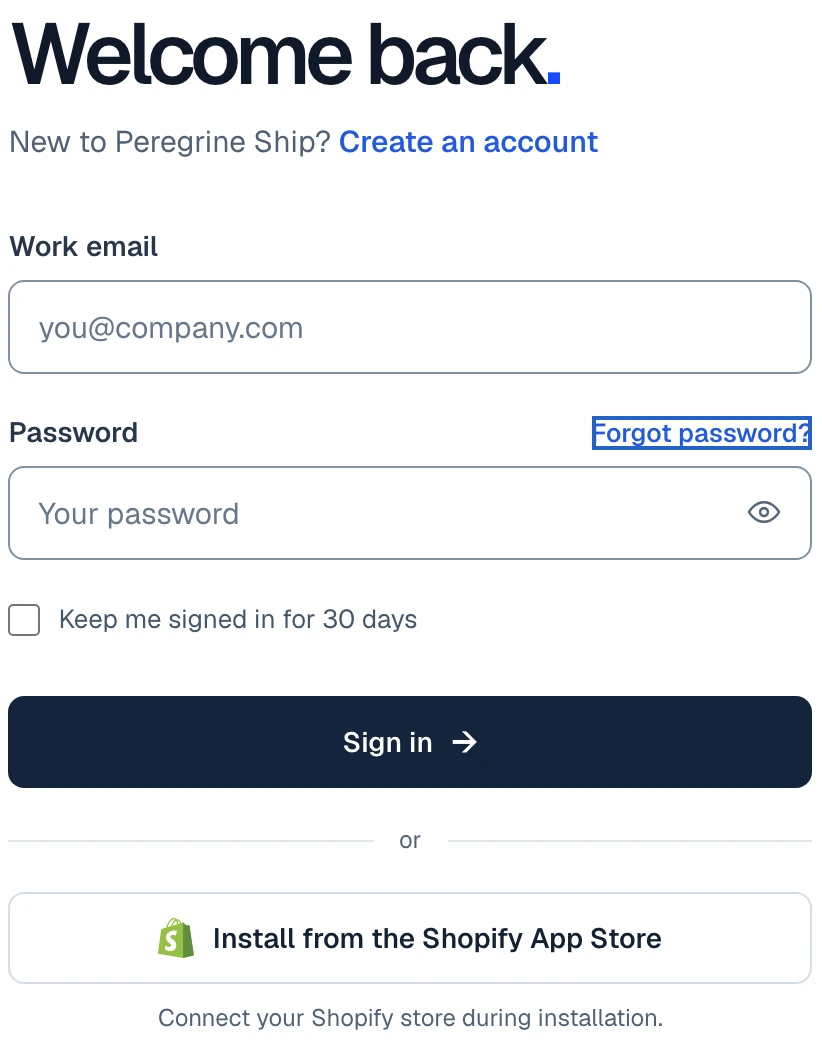
On the sign-in page, choose Forgot password? beside the password field.
Platform screenshot · Example dataView full size - Enter the account email and select Send reset link. Open the message in that inbox.
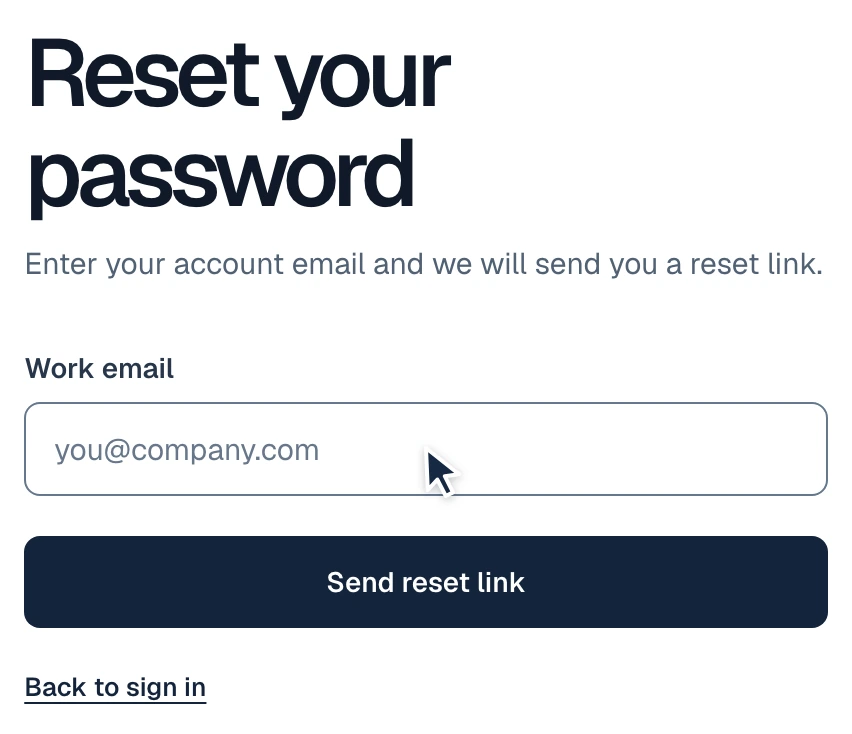
Enter the account email in Reset your password, then choose Send reset link.
Platform screenshot · Example dataView full size - On Choose a new password, enter and confirm the new password, then select Reset password. Return to sign-in and use the new password.
I changed my email and now neither address works
Peregrine changes the sign-in address when you submit the change. Open the verification email sent to the new address. Until you verify it, sign-in with either address can fail. If you cannot find the message, try signing in with the new address to trigger a fresh link.
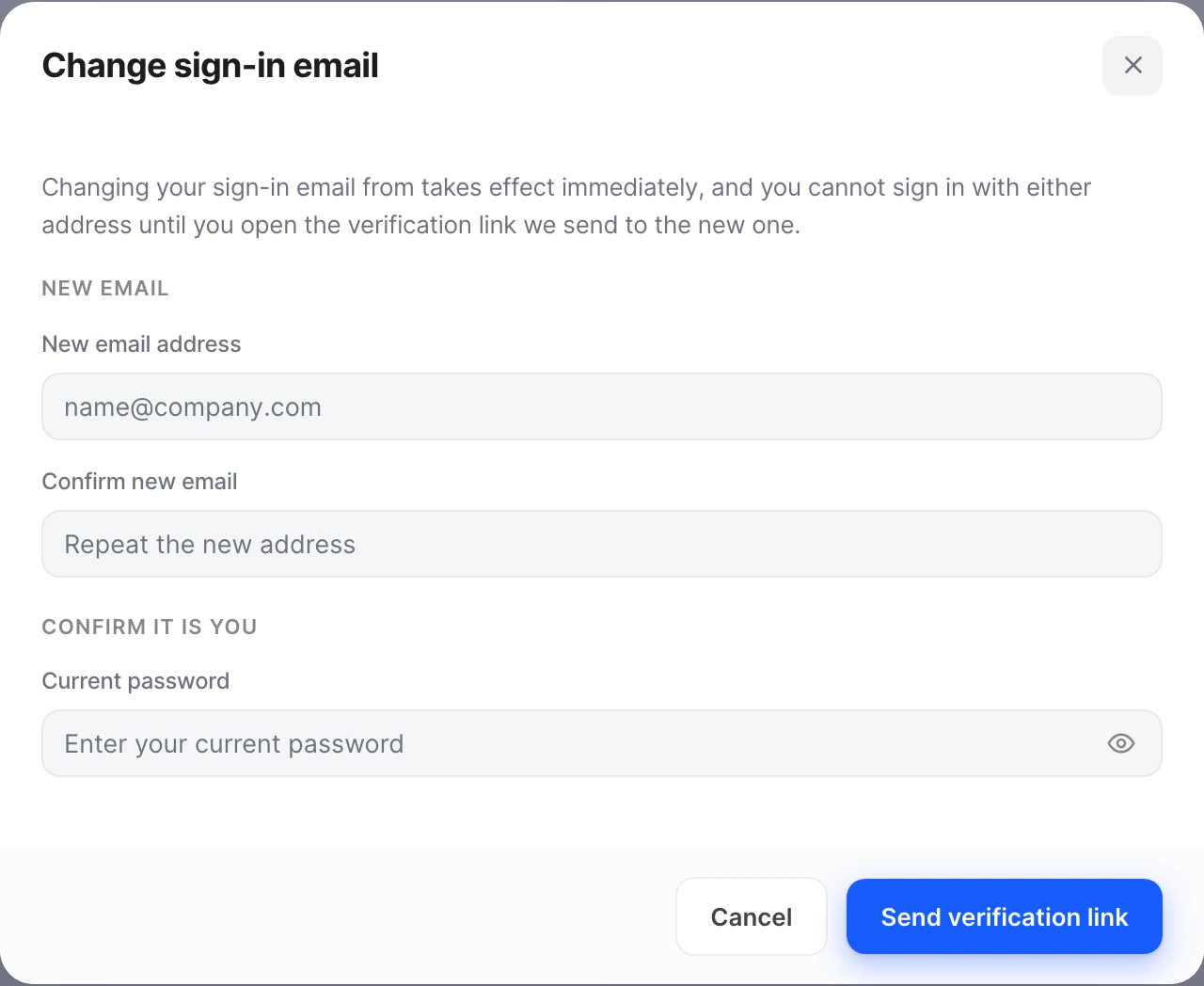
If you began changing your sign-in email, look for the verification link sent to the new address. This is the dialog that starts that process.
Common questions
Which email should a colleague use to look for the message?
Use the work address entered at registration, or the new address if it was changed. The store's public customer-service address can be different.
What if I cannot access the mailbox anymore?
Contact support privately with your shop domain, previous account email and a reachable contact address. The team can establish ownership and advise how to restore access.
What should I include if the newest link still fails?
Send the approximate attempt time, whether it was a reset or verification, and a screenshot of the error with the address bar cropped. Keep passwords, verification links and codes private.