
Take a new DTC product from sample to first shipment
Prepare the product, approved pack, variant list and first inbound so the warehouse can identify exactly what a customer ordered.
On this page
Use with AI
A launch date is easier to promise once you can answer three questions. Which unit will the warehouse pick? What goes into its parcel? Has the warehouse received enough of that exact unit? A purchase order for your factory answers only part of the first question.
- Product
An approved sample, sale-unit contents and one SKU for each size/color combination.
- Stock
The warehouse has received the correct variants and counted usable units.
- Customer parcel
A packed example, approved customer-facing contents, destination estimate and tracking experience.
Approve what you will sell
Choose the actual variant and record its measurements or other acceptance criteria. Photograph the agreed sample and give each size/color combination a distinct SKU. Define one sale unit in plain language, such as “one pair of socks” or “one case, one strap and one pouch.” If you plan to sell the components separately too, document both configurations. Check an exact match
Get the first stock to the right shelf
- Ask for current receiving instructions before your factory dispatches. Send the factory a carton list showing the store, exact variant and sale-unit count in each carton.
- Create the inbound against the correct store and domestic tracking. Save the reference and tell the team how to recognize the delivery.
- Compare the receipt with the carton list at variant level. If the factory expected 40 M and 20 L, a receipt of 60 mixed units still leaves the size breakdown to verify. Create an inbound
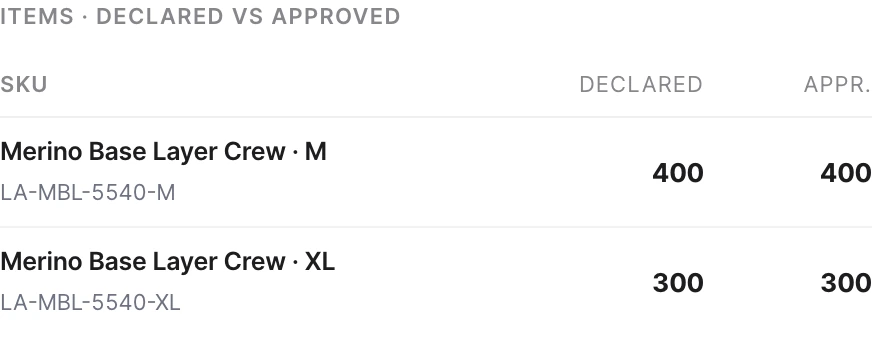
Compare the line for each size with your carton list. The review can approve fewer units than were declared.
Platform screenshot · Example dataView full size
Rehearse one customer parcel
Agree the exact mailer, inserts and gift rule. Weigh one fully packed example. Open Shipping calculator, set its destination, and enter the packed weight in the displayed unit. If the parcel is bulky, send the team its outer length, width and height with the weight to check the service and final quote. In Shopify, check the actual variant, location and customer-facing price. When the first order arrives, verify it draws on received stock for the intended SKU.
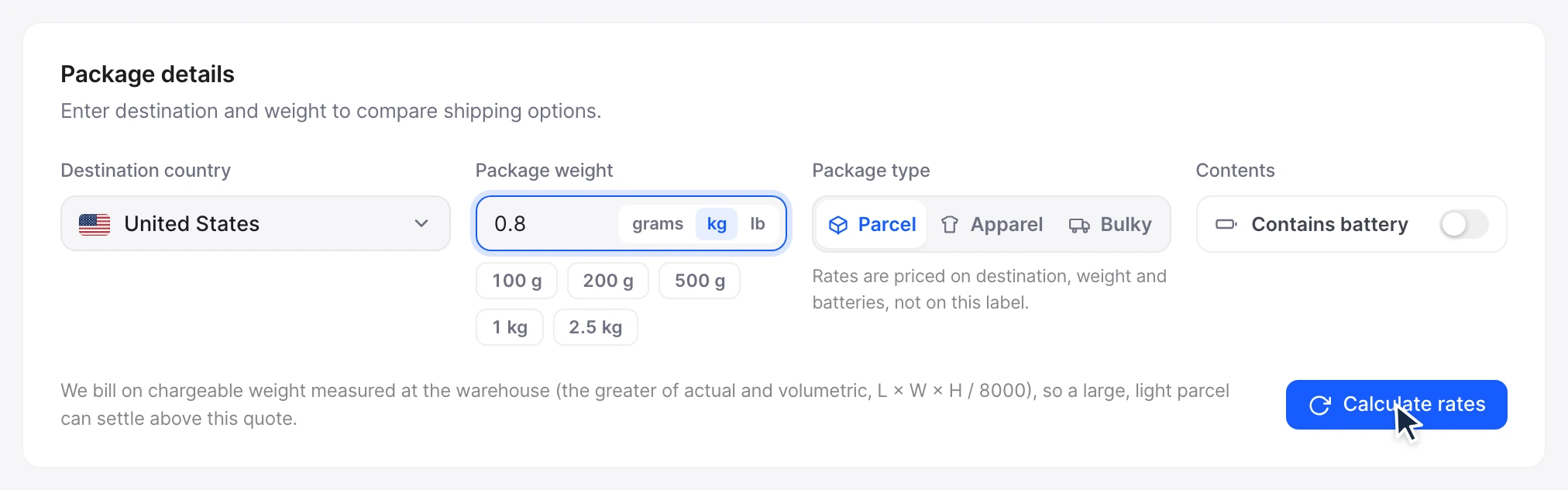
Choose the destination in Shipping calculator and enter the packed weight in the displayed unit. Send bulky parcel dimensions with the quote request.
Common questions
How do I know my first branded product is ready to ship?
Match one sellable variant to an approved sample, a received SKU quantity and the correct version of the packaging. Check the packed example, verify the destination rate, then check that a new customer order routes to the location that holds that variant.
Can I sell preorders while the cartons travel?
You control preorder wording and dates in your store. Keep factory dispatch, warehouse receipt and a sellable variant count separate when describing availability. Give buyers a shipment expectation you can support.
May my own factory ship straight to Peregrine?
Arrange the receiving instructions and a matching inbound for your account. Use the warehouse instructions confirmed for that shipment.
Do branded packaging and product stock arrive together?
They can arrive at different times and in different quantities. Verify both before promising the complete branded pack, and agree the fallback for orders placed before both are ready.
Where do I see what I will pay on an owned SKU?
Confirm the product is handled as owned stock, then review the packing and shipping charges for one actual order. Read an order charge