
Reconcile a busy dropshipping day across several stores
Use a store-specific order export, variant quantities, the wallet ledger and parcel references to find exceptions without counting a sale twice.
On this page
Use with AI
If two shops both have order #1042, the number alone cannot identify the sale. Keep the store domain and store order reference together, then attach the Peregrine order reference, line SKU and parcel reference where relevant. This gives operations, finance and customer support a common way to look up the same transaction.
- Sales
Count distinct store and order references. A two-line order is still one sale.
- Demand
Group by exact variant and add its unit quantities.
- Fulfillment spending
Match the Peregrine reference to posted billing entries, retaining the dates of later adjustments.
Reconcile the order export
In Orders, choose the store and period you intend to review. Apply status filters only when you want a subset. Use the export with variant detail when the question concerns demand by SKU. Keep your filter settings and reporting dates with the file. Export orders with variants
For example, shop A sells two navy shirts and one cream shirt in one order. Shop B sells one navy shirt under the same order number. That is two store orders, three navy shirts and one cream shirt. A count of spreadsheet rows answers none of those questions reliably until you know what a row represents.

Check the selected order count before Export CSV. Keep the owning store in the handoff so matching display numbers stay distinct.
Match the three exceptions worth investigating
- Shopify has a sale and Peregrine has no matching row. Verify the exact store, order eligibility and assigned fulfillment location. Check the store’s sync wizard.
- Peregrine has the order and a cost differs. Compare the actual variant, unit count and parcel arrangement to the accepted quote. Then read the posted goods and shipping movements. Keep holds and later credits distinct.
- An order looks shipped but the shopper has no useful update. Check the exact Shopify fulfillment, parcel number and latest carrier event. Where an order has several parcels, each can have a different scan date.
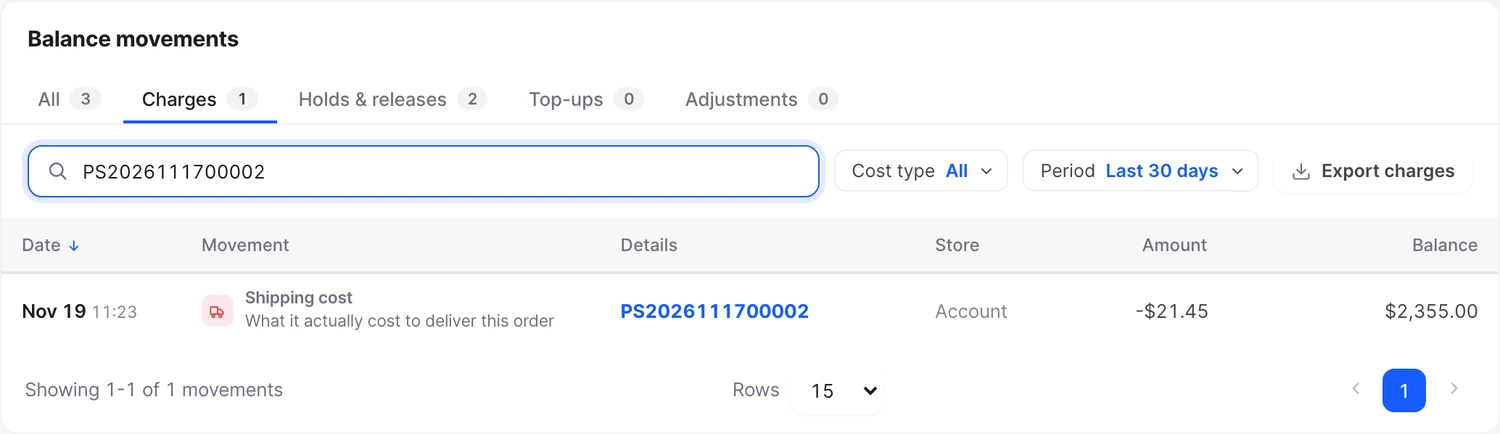
Use the order reference in Billing to trace an exception from your store export to the corresponding movement.
Hand off open issues between shifts
Record the store, original order, affected SKU or parcel, last observable event and who owns the next action. A useful handoff reads “Store B, order #1042, navy L, awaiting confirmation for the next replenishment.” A handoff that only says “delayed” makes the next operator start again.
Common questions
How do I reconcile a busy day across multiple stores?
Use the same date range and timezone for each store, and keep the store and order reference together in the export. Reconcile quantities by variant and parcels by tracking. Check wallet movements against their order references because the wallet balance covers the account.
Can I compare yesterday’s gross sales with today’s wallet debit?
Use order references first and transaction dates second. A charge or credit can post in a different reporting period from the customer sale.
Why is the Dashboard balance identical when I switch stores?
The wallet is account-wide. Filter the order list and its exports for store-specific operational work.
Can I send the full export to a shopper who asks about one tracking number?
Send the customer-facing link for that buyer’s parcel. The export can contain other customers’ information and merchant costs.