
Check whether a specific address can receive your parcel
Check the destination, postcode and packed item before offering a shopper a delivery option.
On this page
Use with AI
A country in the destination list is a starting point. The service also needs to accept this postcode, address type and product. Check those details before opening a new Shopify market or promising delivery to an island.
Set the destination, unit and packed weight before calculating. The sample demonstrates the estimate inputs.
Read transcript
- Check the parcel destination in Shipping calculator.
- Choose the weight unit before entering the packed weight.
- Enter the packed weight. Here the sample parcel weighs 0.8 kg.
- Check the battery declaration before choosing Calculate rates.
- Country
Use the destination and packed weight to obtain an estimate.
- Delivery point
Check the postcode, address type and contents against the proposed service.
- Checkout
Confirm the exact product has a delivery option at that destination in your store.
Price the destination
Open Shipping calculator. Choose Destination country, enter the Package weight, select the correct unit and set Contains battery when applicable. Select Calculate rates. Save the name of the service you are considering and the date of the estimate. You can also look up the destination in the public shipping directory.
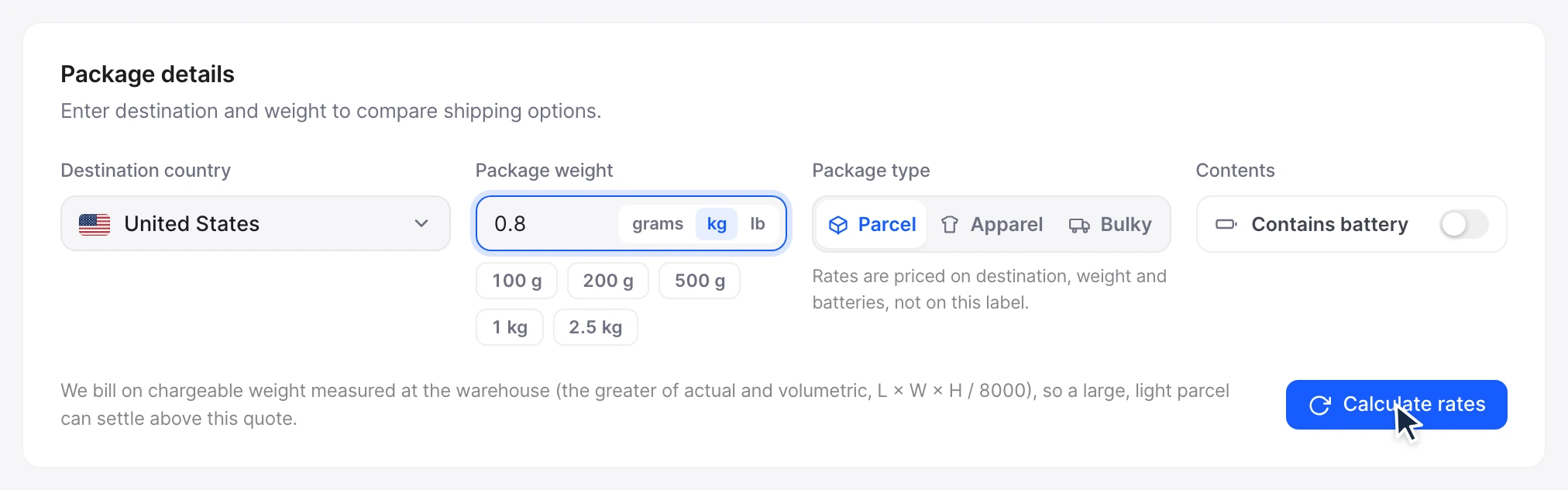
Price the actual destination country, packed weight and battery status before offering a shipping option for the market.
Check the exact delivery point
Ask privately for the destination country, postcode and type of address. Islands, territories, remote areas, pickup points and PO boxes can have different service from a nearby street address. Give merchant support the postcode, parcel measurements, contents and proposed service. Ask whether that service accepts the destination and whether there is a surcharge or a special delivery requirement.
Open a market for sale
Open Shopify → Settings → Shipping and delivery. If shipping has moved to Markets, open the destination under Markets → Shipping. If your shop uses shipping profiles, select the profile for the exact product and fulfillment location. Try the customer's destination at checkout without placing an order. A successful carrier estimate and a visible checkout option answer two different questions.
Common questions
I see the country but the calculator returns no lines. Is every shipment there impossible?
Check the unit and contents. Ask support to review the exact parcel and postcode. Use the confirmed outcome when setting delivery expectations.
Can I use the mainland price for an island?
Request confirmation for the island postcode and the packed parcel before quoting the customer.