
Decide whether to hold a basket or ship it in parts
Compare the available variants, the customer’s deadline and the full parcel cost before authorizing a split.
On this page
Use with AI
A buyer orders two shirts and a belt. One shirt is still missing. First establish exactly which size is short and whether the other units are actually available for this order.
- Keep it together
Find the missing variant and its next confirmed update. Quote one parcel only after packing is known.
- Send what is ready
Agree which items go now, when the remaining item can go and what both parcels cost.
- After approval
Match each fulfillment's quantities and tracking to the agreed contents.
Ask for two comparable options
- Keep the basket together. Ask what is holding the remaining variant and when it can next be checked.
- Ship the ready lines. Ask which item, SKU and quantity would go in each parcel, the separate shipping prices, and whether either parcel already has a label.
- Confirm the customer's preference and the agreed allocation with merchant support. Keep the order references in one private conversation.
Verify the result by item
In Shopify → Orders, select the original order, then read each fulfillment section's location, tracking and item quantities. In Peregrine Orders, open each corresponding reference and compare Items with the packing decision. Each physical parcel should be identifiable by its own tracking once assigned. If two records now appear for the same item, ask support to reconcile them before releasing another order.
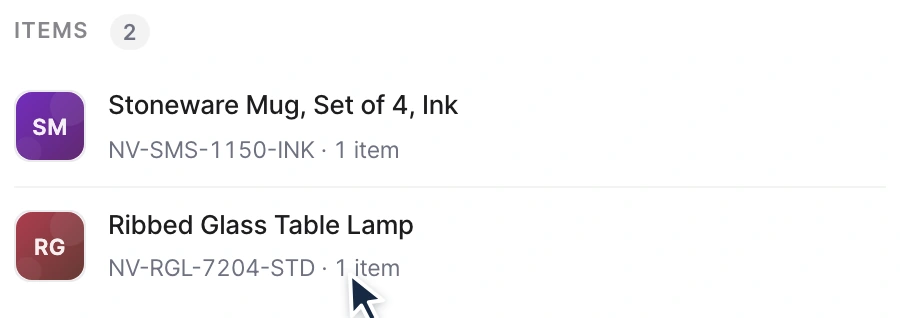
Items gives you a separate SKU and quantity for each line. Compare those units with the agreed contents of each parcel.
If you asked to combine parcels
Give the team both store order references, confirm the same intended recipient privately and ask whether either parcel has already left. Wait for the final packing and tracking confirmation before telling the shopper they will receive one delivery.
Common questions
Does adding an order remark approve a second shipping charge?
Use the support conversation to confirm the quoted price and the exact split. A packing instruction on an order records what the warehouse should check.
Can two orders with the same street address be merged automatically?
Confirm the recipient, contents, order references and dispatch stage with support. Several households or recipients can share an address.
What should I tell a customer who has received only one box?
Match the delivered tracking number to the quantities assigned to that parcel. Check whether the remainder has its own number or is still awaiting dispatch.