
Check the final items after a post-purchase upsell
Identify the accepted offer and confirm the final fulfillable quantities before packing.
On this page
Use with AI
A buyer checks out with one bottle and accepts a second bottle on the post-purchase page. Before promising a two-bottle parcel, establish whether the offer was accepted and how the app recorded it.
- Final Shopify sale
Check whether the offer was accepted and how the app recorded it.
- Fulfillment instruction
Match the final variant quantities against the right Peregrine record.
- Packing decision
Confirm one parcel, a separate shipment or an unresolved extra item.
Trace the accepted offer
- In Shopify → Orders, open the original sale. Read the item lines, payment status and the fulfillment group containing the offer. A hold labeled Pending upsell offer belongs to that group. Check the final quantities once the buyer has accepted or declined. Some upsell apps place a temporary fulfillment hold while the offer is open. Shopify's guidance on app holds
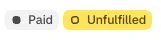
Shopify’s payment and fulfillment badges describe different things. Open the fulfillment group and read its own hold or progress.
Shopify admin · Development storeView full size - Identify whether the app increased a quantity, added a different variant or created a separate order. Keep every affected Shopify reference and its store domain.
- In Peregrine Orders, open the matching order number. Compare its status beside the reference and the quantities under Items. If the original was already being sourced, packed or split when the customer accepted, ask support which parcel can include the extra item.

Find the original store and order reference in Peregrine, then compare the accepted upsell with the actual line items.
Common questions
The buyer declined. Do I need to create a one-item order manually?
Find the original sale and verify its final one-item quantity and status first. An expired or declined offer can leave the original order intact.
Both items show in Shopify. Why check the actual parcel?
The original picking instruction may have started before the addition. Get the final warehouse quantity and parcel assignment confirmed before describing the shipment to the customer.