
Check a Shopify order split between two locations
Identify which order lines belong to Peregrine and which belong to your shop or another warehouse.
On this page
Use with AI
A Shopify order can contain multiple fulfillment groups. A shopper might buy a shirt stocked with Peregrine and a mug stocked at your retail location. One order number can then describe two separate packing jobs.
- Shirt · Peregrine
Read the shirt's variant and quantity in the Peregrine fulfillment group.
- Mug · retail store
Read the mug's separate group and the location responsible for packing it.
- Customer asks what shipped
Match the tracking to its group. Tell the buyer which item is still outstanding.
Reconcile a split order
- In Shopify Orders, open the original sale. For each fulfillment group, write down its assigned location, variant, quantity and current fulfillment state.

In this Shopify fulfillment group, the location beside Shipping is Peregrine Ship. Compare the location for each group separately.
Shopify admin · Development storeView full size - In Peregrine Orders, find the matching shop and order number. Compare the item and quantity the warehouse is expected to ship. If the groups disagree, ask support to check the assignment before either location sends that item.
- After the first parcel ships, match its tracking to its own items. If another group is still open, tell the customer which products are in each shipment.
If the wrong Shopify location was reduced, record its name and the order's original assignment. To inspect the configured rules, open Shopify → Settings → Shipping and delivery → Order routing. Expand the row, then choose the active-rules arrow. Read the rules from top to bottom. Compare the order's own assigned location with the rule and stock levels that applied when it came in. Editing today's storefront quantity can obscure the discrepancy without explaining the original allocation.
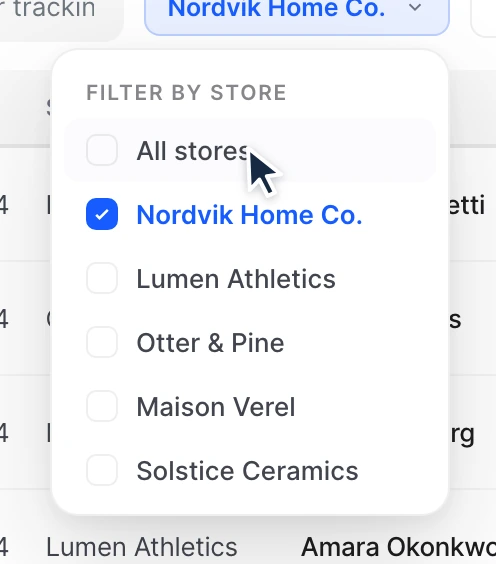
For the Peregrine part of a mixed-location sale, narrow Orders to the same store before comparing the assigned items and quantities.
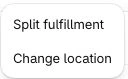
On an eligible unfulfilled group, its three-dot menu includes Change location. Check whether the original location already began work before requesting a change.
Common questions
Can two sizes of the same shirt come from different locations?
Yes. Shopify evaluates availability and routing. Read each variant and its assigned group, even when the product name is identical.
Should I move an order to another location once packing has started?
Confirm with the original fulfillment provider first. For an eligible unfulfilled group, the three-dot menu next to its heading contains Change location. Confirm the original provider can release the items before you use it.
Does one tracking number prove everything in the basket shipped?
It identifies the parcel associated with its fulfillment. Check all groups and their line quantities. Shopify fulfillment guide