
Resolve a Shopify store marked Needs permission
Reauthorize the installed app so an existing connection can send fulfillment and tracking updates back to Shopify.
On this page
Use with AI
A store can be connected and still need a newer Shopify permission to send a fulfillment update. Check this when a parcel has a Peregrine shipment record but the corresponding Shopify fulfillment or tracking is missing.
- Store says Needs permission
Use Grant permission for this domain and approve the request in Shopify.
- Shopify fulfillment lacks tracking
Compare the original shipment references after approval. Ask support to check that update.
- Shopify already shows tracking
Inspect the customer notification and its recipient in Shopify.
Authorize the existing shop
- Open Peregrine My stores. Match the Shopify domain under the store name. The affected card shows a Needs permission badge and a warning explaining which Shopify updates are blocked.
- Choose Grant permission inside that card's warning. In Shopify, verify the domain and approve the requested permission using an account allowed to manage the app.
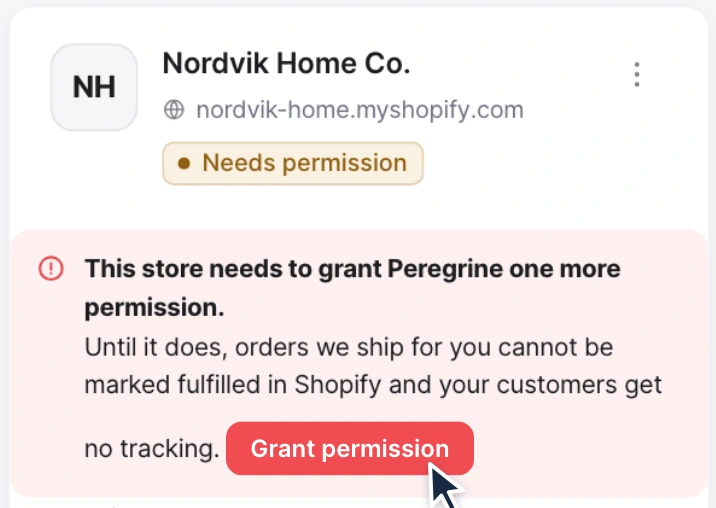
The Needs permission card has a Grant permission button inside its warning. Match the shop before choosing it.
Platform screenshot · Example dataView full size - Return to My stores, reload the page and check the card again. If it still requests permission, confirm which Shopify store was open during approval.
- For an already-shipped sale, compare the original Peregrine order and Shopify fulfillment again. If tracking is still missing, send support the two references and the parcel tracking so they can check that existing update.
Common questions
Should I disconnect a shop to get the permission prompt?
Use Grant permission when it is shown. Disconnecting can remove products Peregrine published into Shopify and can interrupt other live orders.
The card says Connected, but a customer's email has no tracking. Is permission definitely the cause?
Check whether the Shopify fulfillment itself contains tracking. A missing fulfillment update and a notification that was never sent or received are different issues. Shopify order tracking