
Check a funds-blocked order after adding money
Verify the posted credit, spendable balance and order’s current blocker before paying or recreating the order.
On this page
Use with AI
An account can receive a top-up while a particular order still needs a decision. Start with that existing order's Peregrine reference and the last recorded reason it stopped.
- Proof pending
Confirm the original transfer’s posting.
- Credit posted, funds reserved
Read Available and identify other order holds.
- Sufficient funds, same blocker
Ask support to trace the original order and its reason.
Follow the money, then the order
- In Billing, check whether the deposit is a posted credit. A bank proof marked Pending is waiting for confirmation. Only Available is ready to spend. Balance also includes money currently on hold.
- Look at wallet movements between the deposit and the current time. Other orders may have reserved funds. Compare the amount remaining with this order's recorded requirement or ask for the outstanding amount if it is unclear.

Check that the new credit reached Available before returning to the blocked order.
Reopen the blocked order
- In Orders, reopen the original row and read the latest status and Action needed. No stock and address issues need different work even when the wallet now contains money.
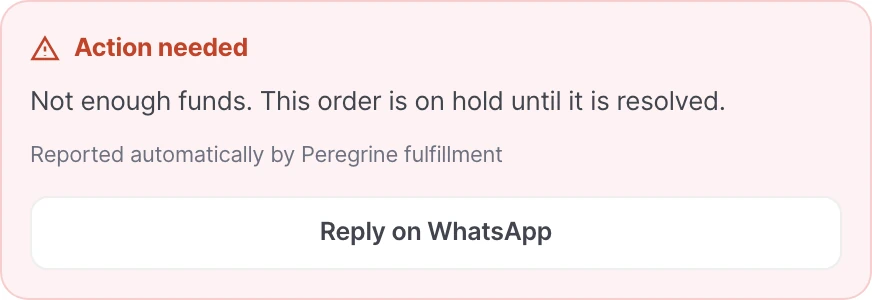
The original order still says Not enough funds. Compare its requirement with the posted credit and current Available balance before asking whether it needs reprocessing.
Platform screenshot · Example dataView full size - If the original order still says Not enough funds after you verify sufficient available funds, send support its Peregrine reference, the posted credit reference and time, and the current reason. Ask whether the order needs reprocessing and verify its eventual status in the original record.
Common questions
Will submitting a second top-up speed up release?
Check the first credit and the actual shortfall first. A second top-up funds the account again and cannot resolve an unrelated issue.
Why can another order progress while this one stays blocked?
Orders can require different amounts, variants and approvals. Compare this order's exact reason and available amount.
Should I add the order manually just to start again?
Use the existing order. A second fulfillment instruction risks sending the customer's goods twice.