
Find an invoice, a payment receipt or an order charge
Choose the record that answers the bookkeeping question and locate it by date, amount and reference.
On this page
Use with AI
A top-up invoice documents money paid into your account. An order charge records how wallet funds were used. The same shipment can appear in your order ledger without having a separate top-up invoice.
- Bank receipt
Shows a transfer was initiated. Keep the sender reference and original amount.
- Top-up invoice
Use the PDF on a posted entry when one is available. Match its date and credit to the transfer or card payment.
- Order charge
Look up the shipment in Balance movements → Charges to establish how wallet money was used.
Choose the right record
| If you need to show | Open |
|---|---|
| A posted card or bank top-up | Billing → Top-ups and invoices |
| Goods or delivery charged to a particular order | Billing → Balance movements → Charges |
| Actual order costs across a period | Billing → Export → Charges (CSV) |
| The displayed movement history for a period | Billing → Export → Account statement downloads an HTML statement using the active filters. |
Set a period that includes the date money posted. In Top-ups and invoices, match the payment method, amount and invoice reference. Under Invoice, use PDF when the original invoice is available. A committed wallet credit can still say After confirmation in that column.
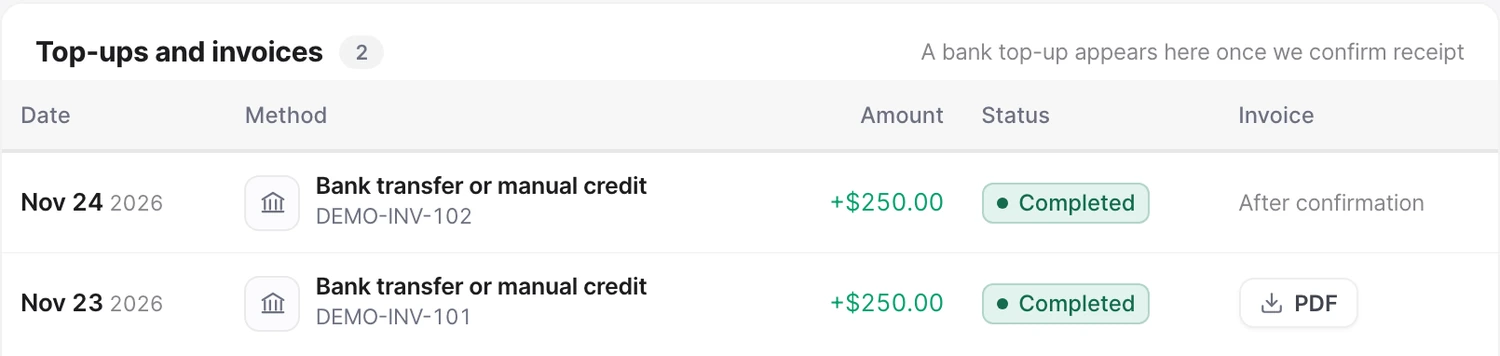
Both deposits are Completed. Only the November 23 row offers PDF. November 24 has an invoice reference but still shows After confirmation.
Keep an invoice or a payment receipt
Open the matching top-up row. In the payment detail, Download invoice opens the available original document. Download receipt saves an HTML receipt with the top-up date, method and amount. If your bookkeeper needs the original invoice and that option is absent, give support the payment reference and posting date.
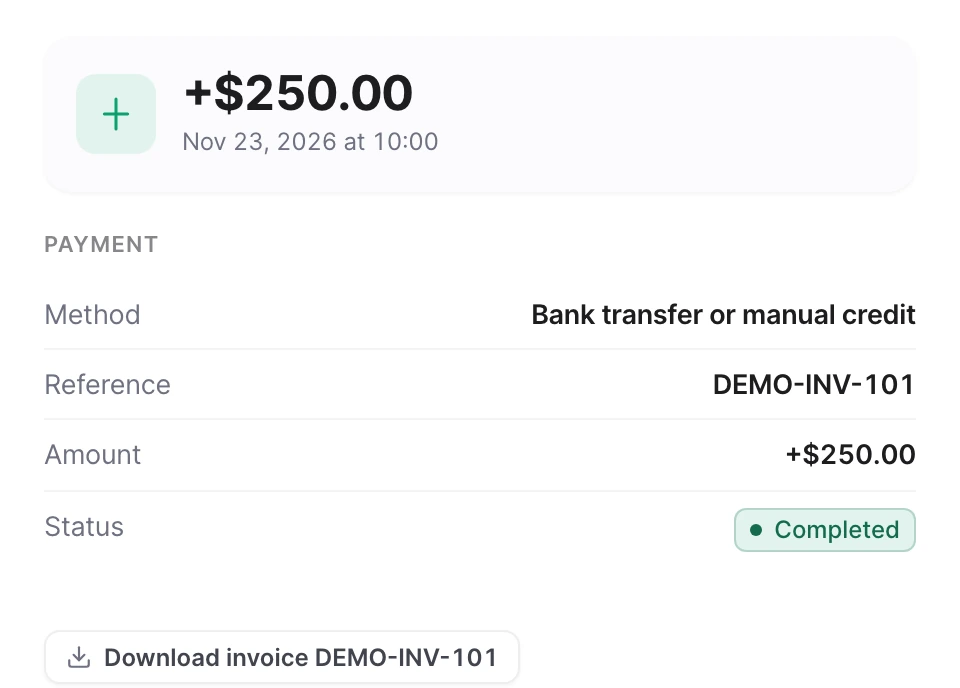
In the November 23 row, Download invoice DEMO-INV-101 opens its available original document.
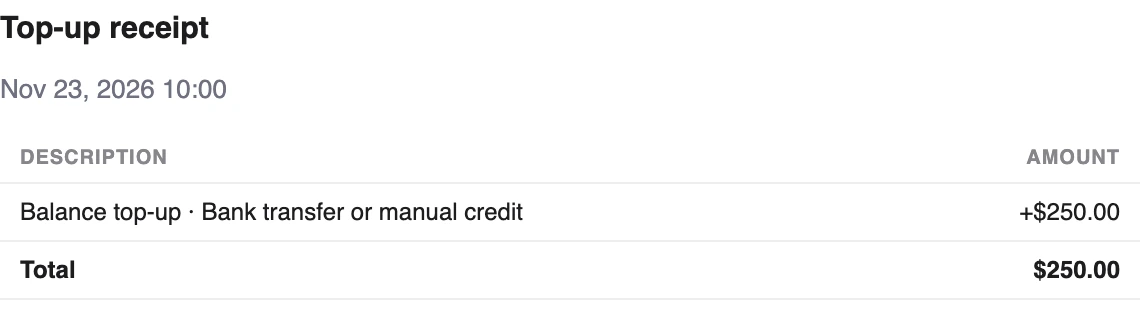
Download receipt produces this separate HTML payment receipt. It identifies the posting date, method and amount for the same $250 credit.
Common questions
I just uploaded bank proof. Where is the invoice?
A submitted transfer confirmation is still pending matching. Check again once the credit posts. Keep the bank's receipt if you need evidence that you initiated the transfer.
Is the receipt from my card processor enough to identify a shipment?
It identifies the payment. To explain an individual shipment cost, use the Peregrine order number and the corresponding charge entries.
Why does my date range show no invoice?
Use the top-up's posting date and clear unrelated filters. If a statement shows the payment reached Peregrine but the credit is missing, contact support with the bank or processor reference.