
Check a paid feature that remains locked after a plan change
Verify the approving Shopify store, current account plan and feature eligibility before authorizing another subscription.
On this page
Use with AI
If a paid feature still asks you to upgrade, establish whether Shopify actually approved the subscription and which plan Peregrine currently reads. A wallet top-up or a visit to a pricing page cannot activate a plan.
- Shopify approval
Verify the actual approval on the intended store.
- Peregrine plan
Reopen Plans and pricing and read Current plan.
- Specific feature
Check the applicable business view, benefit and restriction.
Trace the approval through both systems
- Reopen Plans and pricing in the merchant account and note the plan marked Current plan. Read the displayed benefits for the feature you need.
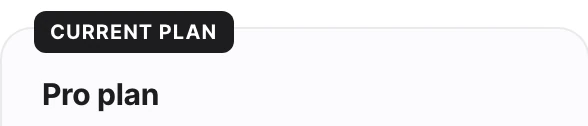
Find the Current plan badge after reopening Plans and pricing. This example reads Pro plan. Compare your displayed plan and included feature to the approval in the correct Shopify shop.
Platform screenshot · Example dataView full size - If you previously selected Continue to Shopify, check the Shopify store where the approval opened. A newly opened tab still requires you to choose and approve the subscription. Have the store owner or an authorized billing user check the active app charge.
- Return to the same Peregrine merchant account and reopen the plan window so it reads the plan again. Retry opening the feature. Check the selected business view and the feature's own message.
- If Shopify confirms approval and the account still shows the old plan, give support the approving shop domain, plan, approval time and exact blocked feature. If the correct plan is current, ask whether the feature is available for that account and business view.
For example, a merchant can fund the wallet and successfully pay for an order while a sourcing tool still asks for a supported plan. Verify the subscription before paying for anything again. Shopify app charges
Common questions
Do I need to buy the plan on each connected store?
The displayed Shopify-approved subscription applies to the merchant account. Check the store that approved it when investigating a bill.
The window says “Please connect a store first.” What does that mean?
The plan flow needs a connected Shopify store to open its approval page. Verify the right shop under My stores before continuing.