
Read the card total, fee and credited wallet amount
Reconcile the exact cent values in the card review against your receipt and wallet, including custom top-up amounts.
On this page
Use with AI
For a card top-up, use Total charged to your card to check the card receipt and Credited to balance to check the wallet. These are separate lines on the review screen.
- Requested top-up
USD 199.99 in this example.
- Card total
USD 207.08 goes on the payment receipt.
- Wallet credit
USD 199.98 is the displayed amount to reconcile in Billing.
Check a custom amount before paying
- Open Billing → Top up balance, select Credit card and enter the amount. A new card top-up currently starts at USD 100.
- Choose Continue. Read Top-up amount, Processing fee (3.4% + $0.30), Total charged to your card and Credited to balance together.
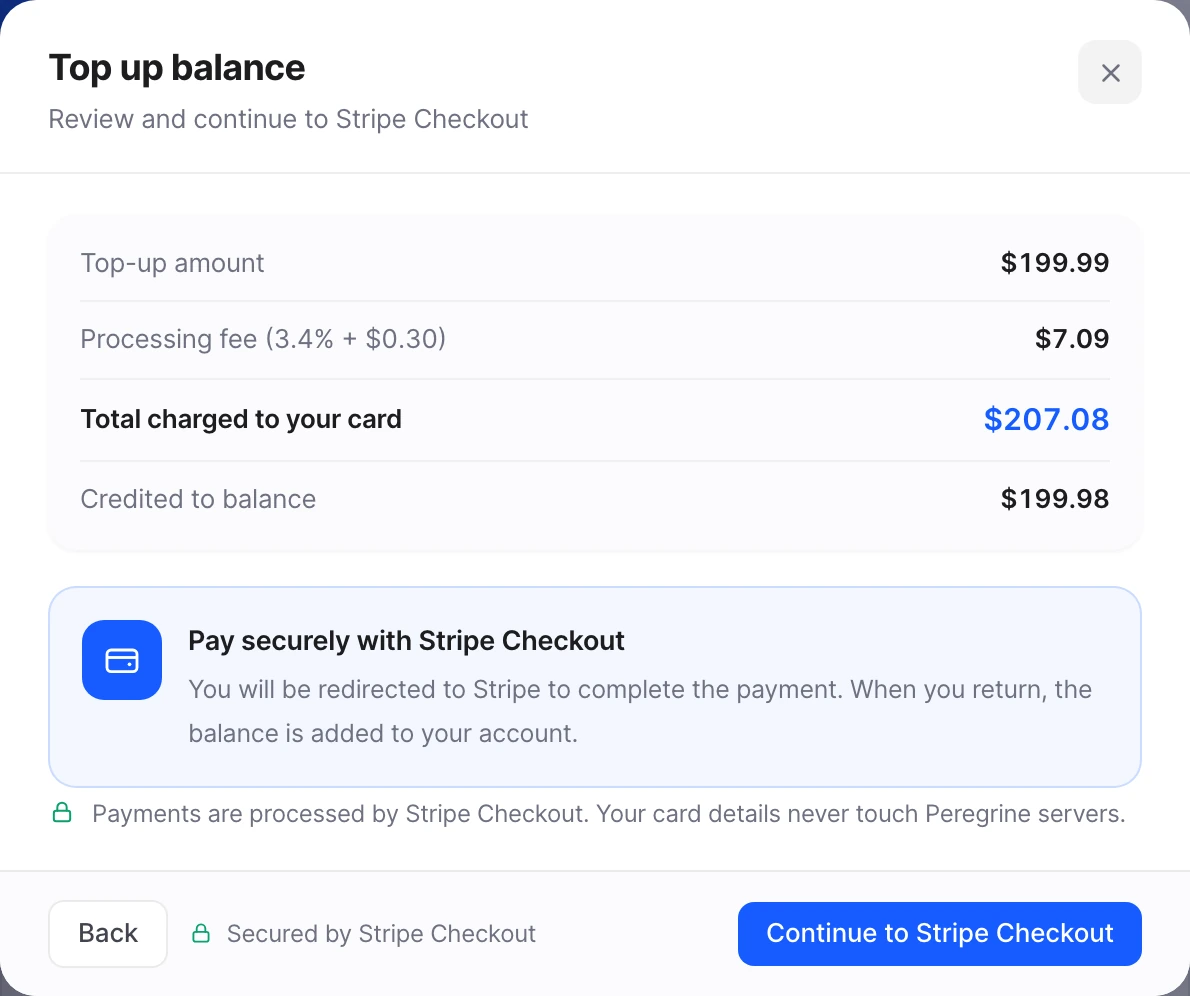
This $199.99 example has a $7.09 fee, a $207.08 card total and $199.98 credited. Compare your issuer receipt to the total and your wallet to the credited amount.
Platform screenshot · Example dataView full size - If an order needs an exact minimum of available funds, check the credited figure against that shortfall before selecting Continue to Stripe Checkout.
- After payment, use the processor receipt for the card total and the posted Billing movement for the wallet credit. A current Available balance can also change as other orders place holds.
For a custom top-up of $199.99, the current review can show $207.08 charged and $199.98 credited. Cent handling can leave the posted credit a cent below the requested amount. For another amount, use its own displayed calculation.
Common questions
Will the processing fee appear as another purchase from my wallet?
The review includes it in the card total. A separate order movement must be traced to its own order or ledger reference.
My card uses another currency. Should the statement match the USD figure digit for digit?
Check the checkout's USD amount first. Ask your issuer how it converted the charge or applied its own fee in the statement currency.
Should I calculate the credit by subtracting a percentage from the final charge?
Read Credited to balance directly. Applying a percentage to the wrong base or rounding at a different stage can change the cents.