
Recover from an interrupted or unsuccessful card top-up
Separate a checkout that never opened, an issuer authorization and a completed card payment before starting another attempt.
On this page
Use with AI
Find the last screen you actually reached. Reviewing an amount in Peregrine, paying on Stripe and seeing a posted wallet credit are three separate events.
- Checkout opened
A review screen or checkout link is only the start.
- Card payment settled
Use the receipt and ask the issuer about a pending entry.
- Wallet credit posted
Match the date and USD wallet amount in Billing.
Choose the stage you reached
| What happened | What to check next |
|---|---|
| Peregrine said it could not start Stripe Checkout or obtain a checkout link | The payment step never opened for that attempt. Correct the amount or reopen the form and try again. |
| You closed Stripe or the card was declined | Reopen the payment provider's receipt or check with the issuer whether an entry is pending or settled. Confirm the first attempt's status before paying again. |
| Stripe reported success or you have a completed receipt | In Billing, include the payment date and check Top-ups and invoices. Compare the Credited to balance amount from the review screen with the posted credit. |
| The card statement shows a completed payment but Billing still has no corresponding credit | Contact merchant support with the transaction or receipt reference, date, total paid and wallet amount expected. Only include the last four card digits if needed. |
A buyer's payment to your store does not fund the Peregrine wallet. For this investigation the relevant payer is the merchant who made the top-up.
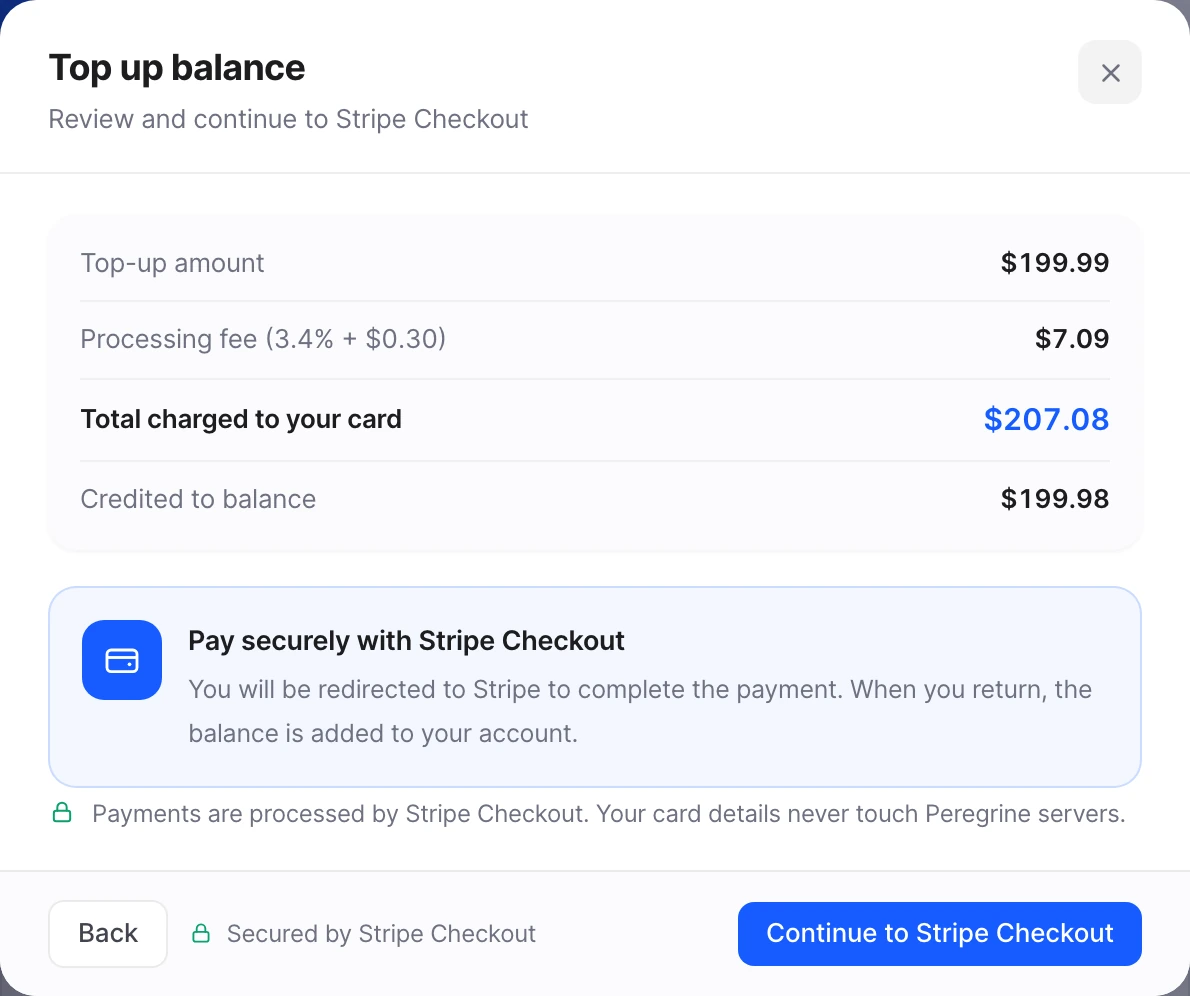
Continue to Stripe Checkout opens the processor from this review. Reaching this screen tells you the quoted amounts. A completed processor receipt and posted wallet credit answer what was paid.
Common questions
Do I upload my card receipt through the Bank transfer tab?
That form files proof of money sent to a receiving bank account. Send the card receipt through the private support case for this card payment.
My bank shows two entries after a retry. Are both wallet deposits?
Ask the issuer which entries settled. Match each settled charge to its own receipt and Billing credit. Two pending lines alone cannot establish two payments.
I closed the tab after paying. Can I still verify the credit?
Yes. Open Billing in the original merchant account, use a date range covering the transaction, and look for a matching credit. Return-page access is unnecessary for that check.