
Check how many units of each variant can support a launch
Translate product totals, approved receipts and existing commitments into a size-by-size launch decision.
On this page
Use with AI
Plan the launch against the SKU the shopper can select. One product may have enough units overall while a featured size has none ready for release.
- 40 mugs
Count the exact mug variant the offer promises. Other colors do not cover that offer.
- 18 matching lids
With one lid per mug, 18 complete pairs are possible before existing commitments.
- 3 lids committed elsewhere
Recheck the warehouse allocation. If those three are already committed, 15 complete pairs remain from these figures.
Build a sellable-variant list
- In Inventory → Products, select the small chevron at the far left of the product name. Match each option and SKU to its Stock value on that variant row. Record each intended SKU and on-hand count with the time you checked. Mark any On demand variants separately.
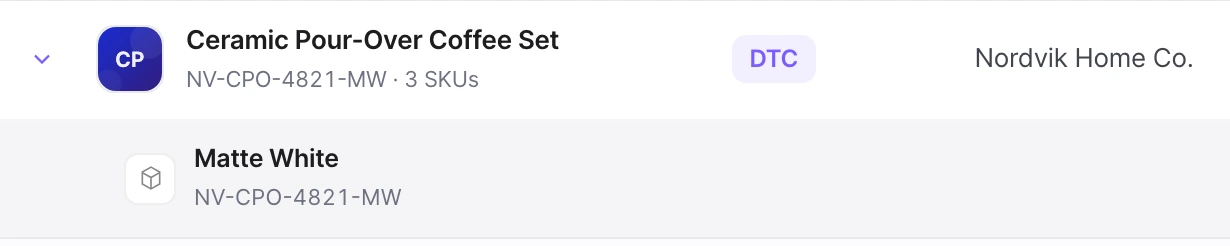
Open the chevron beside the product. This example exposes the Matte White SKU beneath a product with three options.
Platform screenshot · Example dataView full size - For expected replenishment, open the relevant inbound and record which units the warehouse approved. Current stock may already reflect those approved units, so avoid counting the same receipt twice.
- Ask the team to confirm existing order commitments or inspection holds for any heavily promoted size. Decide the Shopify quantity or preorder wording for that variant from the confirmed availability.
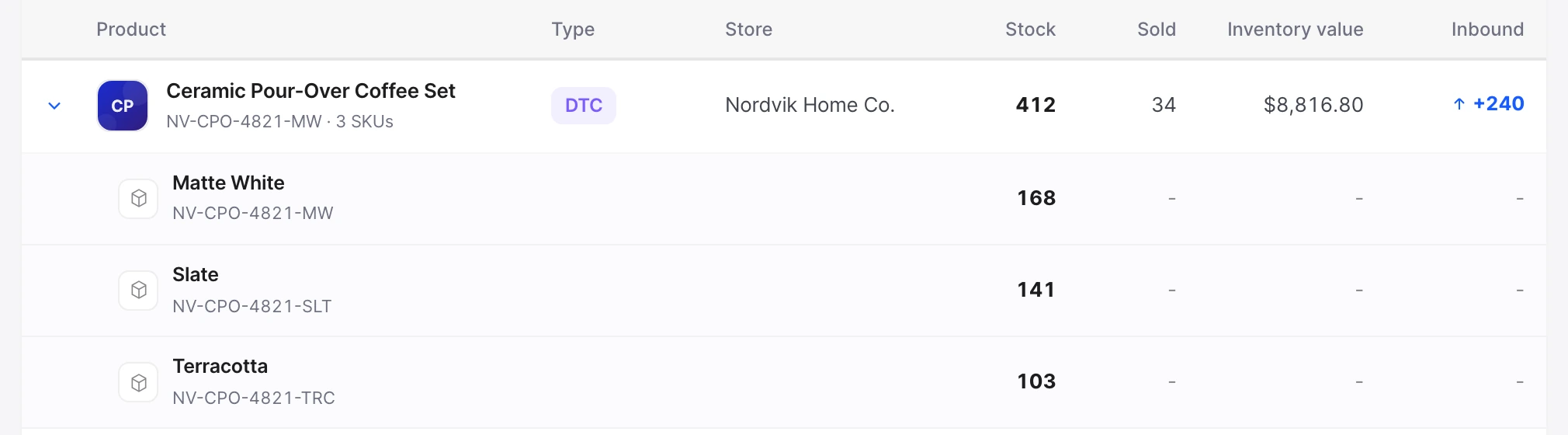
Use the individual SKU counts when planning a launch. The 412-unit product total belongs to three different finishes.
Check the limiting component
A promotion pairs one mug with one matching lid. You have 40 mugs but only 18 compatible lids ready before reservations. At most 18 complete pairs can be assembled from those figures. If another order holds three lids, recheck the sellable quantity before publishing.
Common questions
Can I count an inbound with a domestic delivery signature as launch stock?
Check warehouse approval and availability for the individual SKU first. The signature is evidence of delivery to the facility.
Does the infinity symbol mean my stocked warehouse can accept any sales volume?
It identifies a sourced-on-demand product. Confirm sourcing capacity and delivery expectations separately from counted warehouse stock.
Why should I recheck just before the storefront goes live?
A new order, approval or hold can change the available quantity after your earlier export. Match your final check to the time sales are enabled.