
Export a receiving register by waybill
Use the Inbounds export to compare grouped shipments, pending units and approved units over the filtered list.
On this page
Use with AI
The CSV you get from Inventory → Export depends on which tab is open. Use Inbounds when each spreadsheet row should describe an incoming shipment.
- SKUs · 3
Three SKU lines appear on this shipment. Open the drawer for their actual identifiers.
- Units awaiting approval · 20
Twenty units are still recorded as awaiting approval in the example register.
- Units approved · 12
Twelve units have an approved receipt. Use the original packing list for what left the factory.
Download the receiving view
- Open Inventory → Inbounds. Choose the required status or leave All for the broader list. Clear any waybill or product search you do not want applied.
- Keep Inbounds selected. Choose Export at the top of the Inventory page, beside Create inbound. Check the headings for Tracking, Status, SKUs, Units awaiting approval, Units approved, Created and Ship date.

Keep Inbounds selected before choosing Export in the page header. That combination downloads the shipment register.
Platform screenshot · Example dataView full size - Match the waybill against your own carton register. Open the row in Peregrine when you need individual size, color or SKU details.
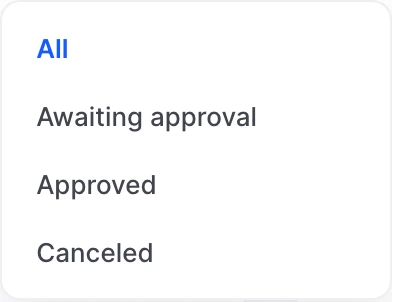
The Inbounds status filter changes which shipments are included. Choose All or the status that matches the register you need.
Read one row correctly
A shipment row with three SKU lines, 20 units awaiting approval and 12 approved is reporting a grouped shipment. The SKU count describes its lines, and the other columns describe units. For the original number dispatched, keep the factory packing list as the baseline.
Common questions
Does the CSV export only the visible table page?
It uses the matching shipments loaded in the Inbounds view across its pages. If the list is still loading, resolve it before treating the CSV as a complete ledger.
Where are the store and the individual SKU strings in this export?
The inbound CSV summarizes shipments and counts SKU lines. Use the inbound drawer and the original packing list for the store and line-by-line handoff. Use the Products export for stock by variant.
Can the ship date tell me when the warehouse accepted the carton?
Use it as the shipment’s recorded ship date. Check approval on the inbound itself and ask receiving for a physical receipt time when that timestamp matters.