
Finish a basket quote when one item has no weight
Identify which lines are included in the combined parcel total and get the missing item weighed before setting a bundle price.
On this page
Use with AI
Read the message above the Order simulator line table. When an item has no usable weight, its goods value can still be visible. The combined shipping estimate can cover the other items only.
- Priced lines plus a blocked line
The displayed combined amount covers the lines the calculator could weigh.
- No item can be weighed
Request the missing weights before setting a parcel price.
- Pricing service unavailable
Keep the basket and use Try again when the service is reachable.
Find exactly what was left out
Open Dropshipping calculator → Order simulator for the same destination. Read the missing-weight notice above the items. Scroll to the dimmed row, match its product and variant, then check Qty. Its Shipping share can say not in the parcel and its landed value can say no weight. For example, a priced bottle with an unweighed gift case is still a bottle-only shipping estimate. The case travels even when the buyer pays nothing for it.
Send sourcing the missing item’s product reference, option, quantity and intended packing configuration. Request its packed weight and, for an awkward or bulky item, its outside dimensions. Ask for the complete basket price for the actual destination.
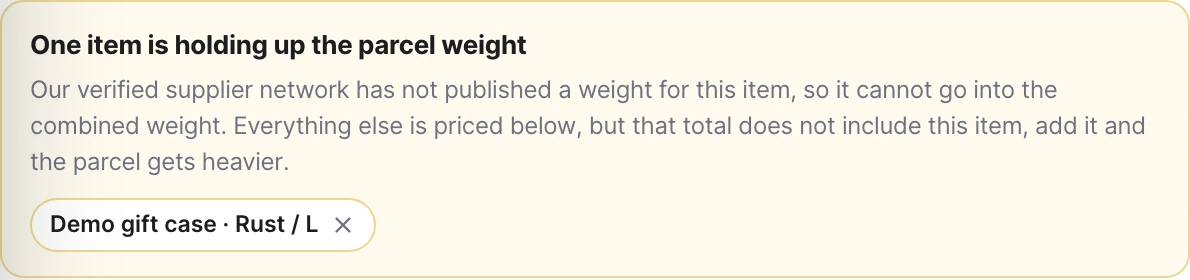
The warning names the demo gift case as the item holding up the parcel weight. Its remove control applies to that one line.
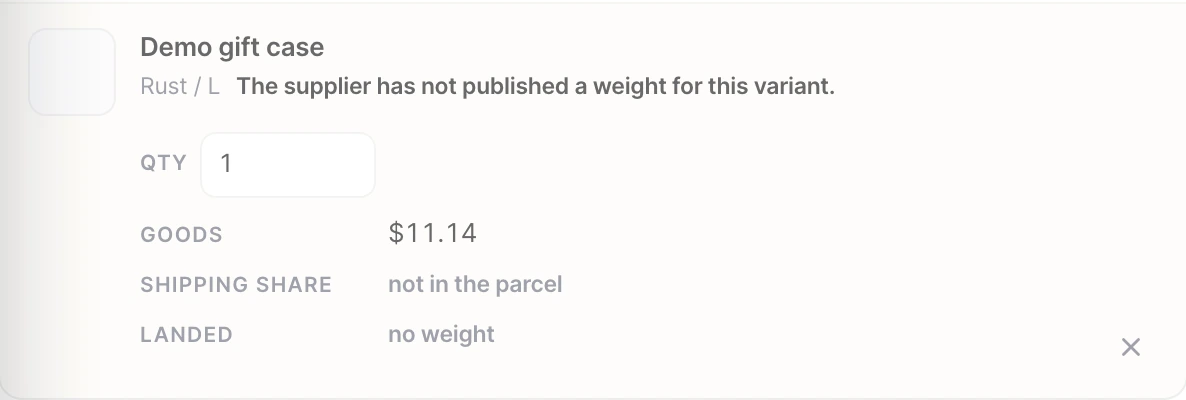
The gift case has a goods value, but its Shipping share reads “not in the parcel” and its Landed cell reads “no weight.”
When you can proceed
If you decide to sell just the priced items, select the named item’s × in the missing-weight notice (or the remove control on that row). Wait for the remaining basket to reprice. Confirm the combined weight and the goods and shipping amounts now describe everything in the revised offer. If the gift or accessory is part of the advertised product, keep the whole bundle pending until the quote covers it. Any plan to ship two parcels should have two verified parcel estimates and matching packing instructions.
Common questions
Can I enter zero for a free gift?
Free to the buyer refers to retail price. Include its actual physical weight and packaging in the parcel request.
Does increasing another item’s quantity cover the missing item?
That changes the basket contents. Obtain the actual missing option’s weight or a written quote for the precise set.
My basket disappeared from the results after an error. What should I do?
Read the displayed error. When the pricing service says nothing was priced and your basket is still there, use Try again. Check the item list and quantities before treating any returned total as complete.