
Request a sourcing quote and find the reply
Send the item, destination, quantity and preferred contact method so the sourcing team can reply about the exact specification.
On this page
Use with AI
Use Quotation for a request that someone needs to price by hand. A calculator result is useful for comparison. A submitted request gives the sourcing team a product and a way to reach you.
Use Notes for sourcing to distinguish the required variant, material and packaging. The sample request is left unsent.
Read transcript
- In a new quote request, name the product you need matched.
- Use Notes for sourcing to specify the material, color and exact version.
- Enter your desired quantity and check the contact method before sending.
- What the customer buys
One navy, medium shirt. Include the size chart and say whether the measurements describe the garment.
- What one order contains
One shirt per parcel to Canada. If fifty orders are expected, keep that forecast separate from the unit count.
- What needs a reply
Ask for the exact match, delivered cost and available service. State whether substitutions require approval.
Submit a request
- Open Quotation in the Dropshipping workspace and choose New quote request. The in-app form is a paid-plan feature. If your account shows See plans, you can still discuss the item with support before deciding on a plan.

Choose New quote request in Quotation to open the request form.
Platform screenshot · Example dataView full size - Choose Product URL and paste the reference, or choose Image upload and select one PNG or JPG up to 10 MB. Select the delivery country. In Notes for sourcing, name the exact variant, items per pack and any differences you would decline.

Choose Product URL for a link or Image upload for the reference photograph. Give the precise size or contents in the notes.
Platform screenshot · Example dataView full size - Enter the quantity you need. If you expect 50 orders of one unit each, say that explicitly. Fifty units in a single carton is a different shipment.
- Choose a contact method, enter the correct address or number, then Send request. Look for the confirmation and check the row in Quotation.
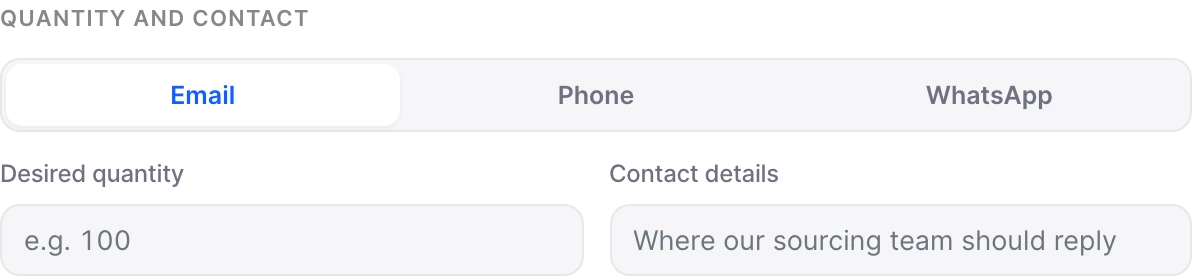
Select Email, Phone or WhatsApp under Quantity and contact. Enter the quantity and the exact destination for the sourcing reply.
Platform screenshot · Example dataView full size
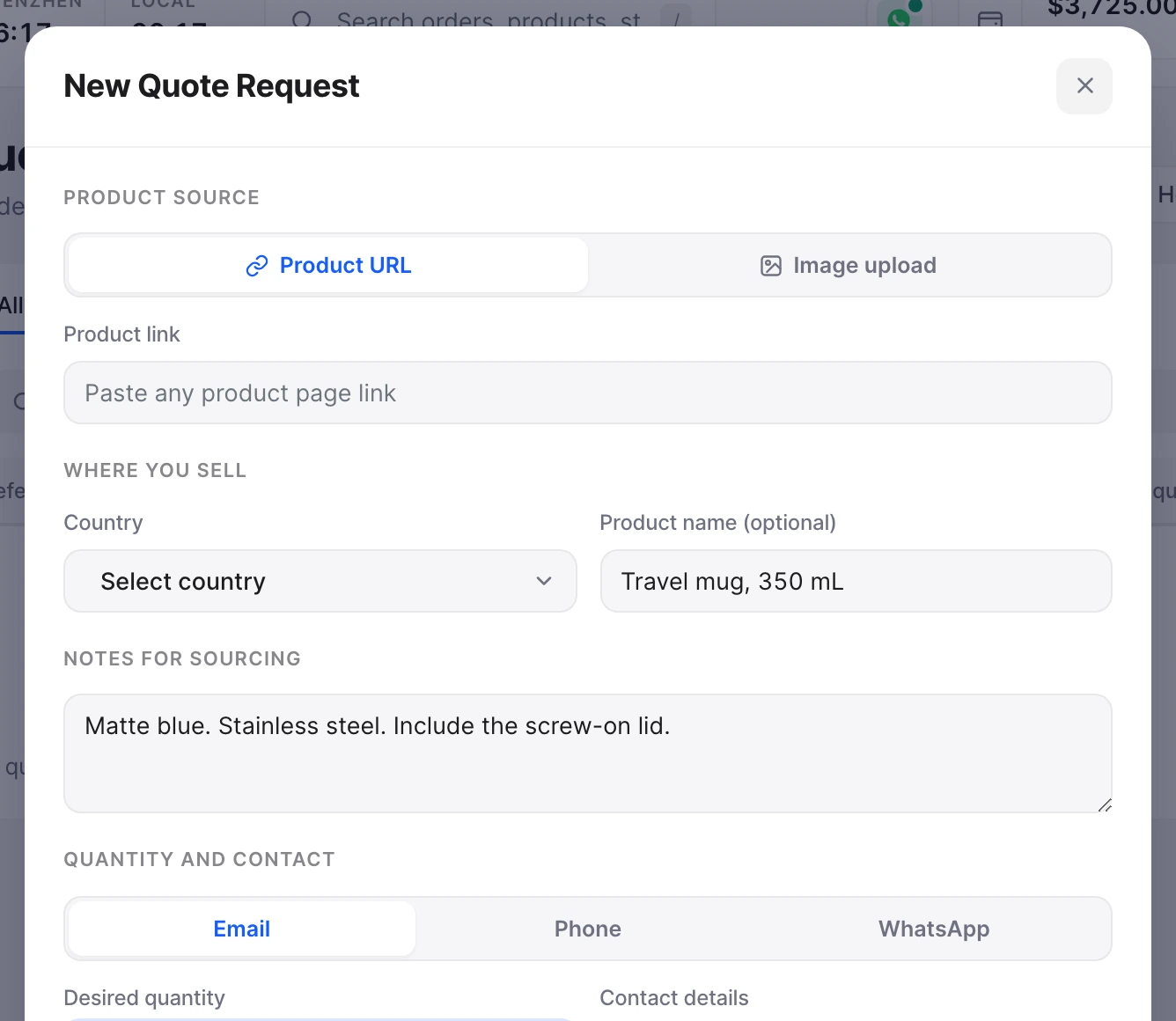
The request has separate product source, destination, notes and quantity fields. Give the exact version the team should quote.
Find the reply
Requested means the request is waiting for an answer. Quoted means sourcing has answered. Check the contact method you supplied for the commercial details. Rejected means it closed without a quote. If the reason is unclear, give support the reference, or the product and request date if no reference is shown.

Use Quoted to find requests the sourcing team has answered. Open the matching row to check the submitted contact method.
Common questions
How do I request packaging from the DTC view?
The DTC form currently directs you to your account manager or the Dropshipping quotation form. Follow one of those routes and include the packaging specification.
What if I need two countries or two quantities?
List each destination and parcel configuration in the notes. Ask for a separate total and delivery estimate for each.