
Check the same product in a second destination market
Compare like-for-like quotes and spot the difference between a new destination price and a saved result from an earlier run.
On this page
Use with AI
Keep the physical product fixed and change only the destination first. This shows how much of a price difference comes from freight. It also prevents a cheap estimate for a smaller variant from slipping into another market’s launch plan.
- Same sale unit
Compare one identical size, color, included accessories and packing configuration.
- Different destination
Record the country and any postcode-specific quote conditions for each result.
- Separate evidence
Keep both dates, available services, freight amounts and unresolved charges.
Run the second destination as its own quote
Start with Dropshipping calculator → Single search. Choose your first Destination market, calculate and open the exact option under Variants. Record the variant, unit quantity, goods amount, shipping amount, weight basis and date. Run the same product for the second market and record its result separately.
If you opened Saved quotes, check the destination written on the saved result. Run again takes you back into calculation. On Single search, click Destination market, search the second country by name and select its row. Choose Calculate landed cost again and reopen the same variant before comparing the amounts. A saved or expired quote is still useful for comparison with the earlier assumptions.
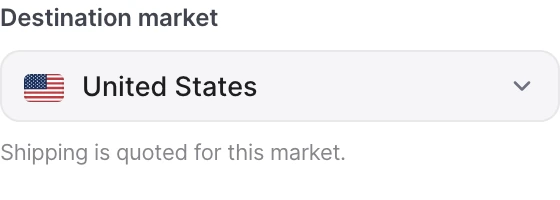
Choose the destination market on the Dropshipping calculator. The quote is tied to the selected country, shown here as United States.
After calculating the second market, return to the same candidate’s Variants button and compare the same option.
Decide what you can offer
If the matched item is the same and freight is available in both markets, compare each total with the retail price and checkout shipping you intend to charge there. If the second country returns a goods price alone, mark delivery as awaiting a shipping quote. Give the team the actual destination postcode, product contents and packed measurements before enabling that route for buyers.
Common questions
I can ship to one European country. May I use that rate for a different one?
Run the new destination. Service eligibility, freight and destination charges can differ even when the packed product is identical.
Can I use last month’s saved result against today’s new-country quote?
You can compare the dated figures. To isolate the country difference for a launch decision, run both markets again using the same current specification.
Which country do I choose for a sample?
Use the actual country receiving the sample. Run a separate estimate for the customer market if it differs.